
Run JMeter Database Scripts in AIQ
Run JMeter Database Scripts in AIQ
JMETERLast DB TESTING:reviewed:
September We21, assume2026
Use this article when AIQ executes a JMeter plan that theincludes readerdatabase hasaccess. fairKeep knowledgecredentials onsecure howand validate database impact before running load.
When to runuse teststhis onguidance
- A
ThisJMeterdocumenttest plan uses JDBC or database queries. - The test is
intendedexecuted or scheduled through AIQ. - You need to
explainvalidatehowconnectivity,Jmeterdrivers,DB testing workscredentials, andprovideresult handling.
Recommended approach
- Confirm the
readerdatabasewithendpoint and account are approved for test use. - Package the
basicrequiredknowledgeJDBCabout the configuration needed in order to successfully configuredriver andrun a Jmeter DB test. We will be using the same Jmeter Db script to run in AIQ.Steps to be followed are given below1) Executing the script in JmeterAdd UsersTo create a Thread group,Right-click Test Plan.Select Add > Threads (Users) > Thread Group.Thus, thread group gets added under the Test Plan node.Rename this Thread Group as JDBC Users.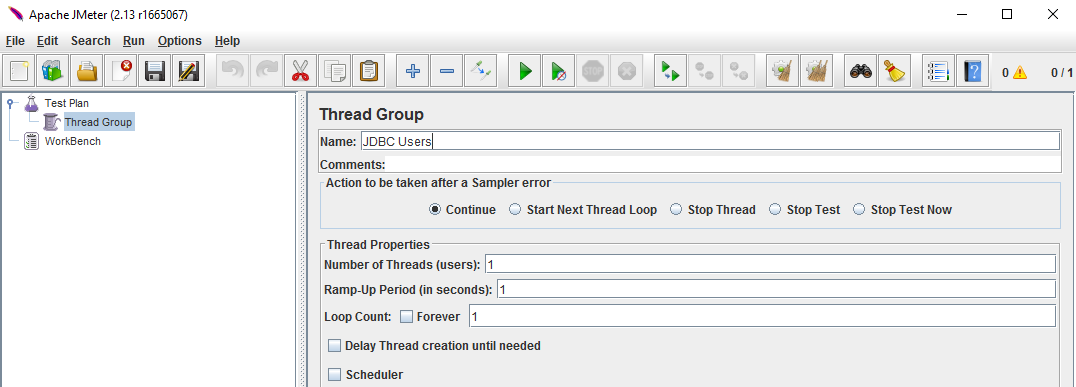
Adding JDBC RequestsNow that we defined our users,verify it istime to define the tasks that they will be performing. In this section, specify the JDBC requests to perform.Right-click the JDBC Users element.Select Add > Config Element > JDBC Connection Configuration.Set up the following fields − Variable name bound to pool. This needs to identify the configuration uniquely. It is used by the JDBC Sampler to identify the configuration to be used. We have named it as DBPool.
The other fields on the screen are left as defaults as shown below −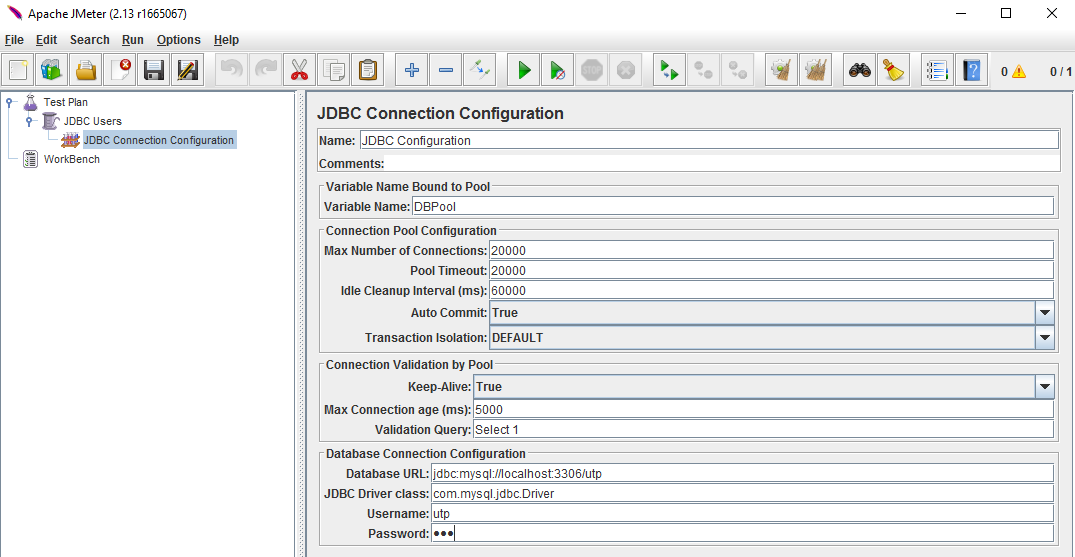
Now add a JDBC Request which refersavailable to the JDBCJMeter Configurationruntime.
than
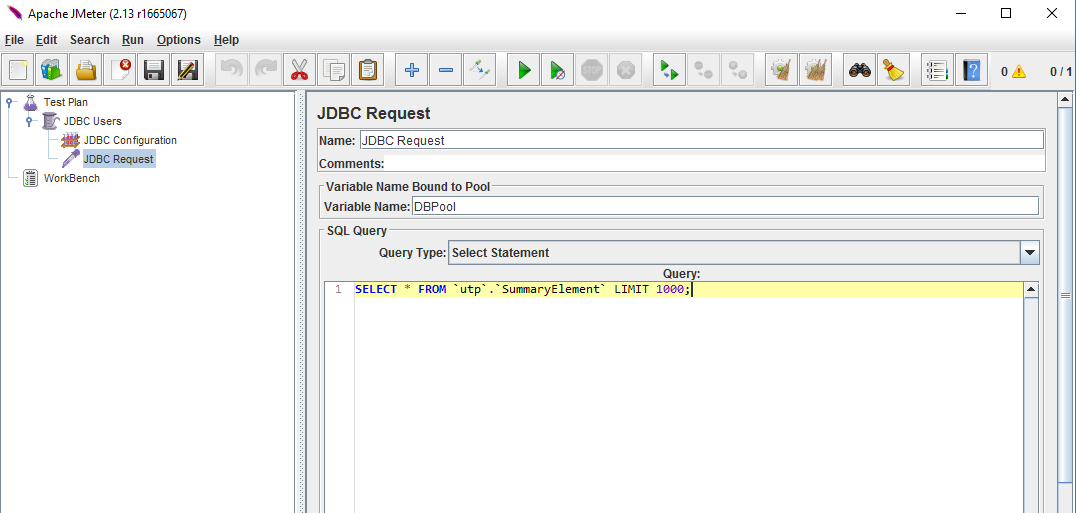
Create Listener Now add the Listener element. This element is responsible for storing all of the results of your JDBC requests inRun a filesmall andsmoke presenting a visual model of the data
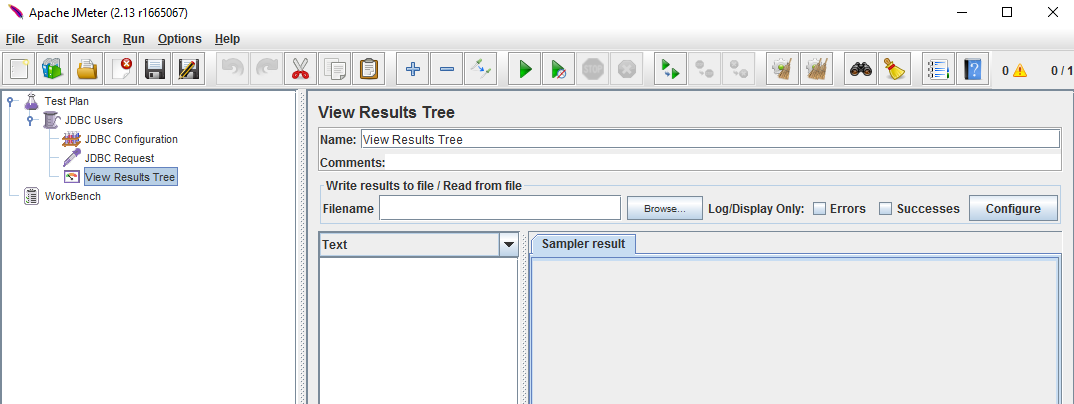
Now save the above test plan as db_test.jmx. Execute this test plan using Run > Start option. Once the test is completed you can go ahead and verify the output by clicking on "View Results Tree" shown below.
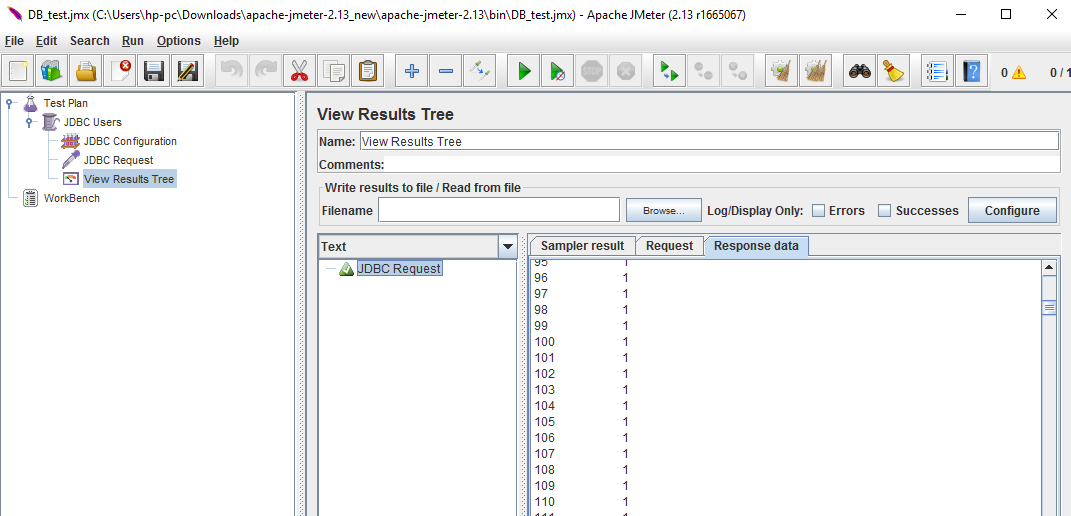
2) Run the Saved Jmeter scriptexecution in AIQ
Webefore assumescaling thatconcurrency.
after
Note:
Database 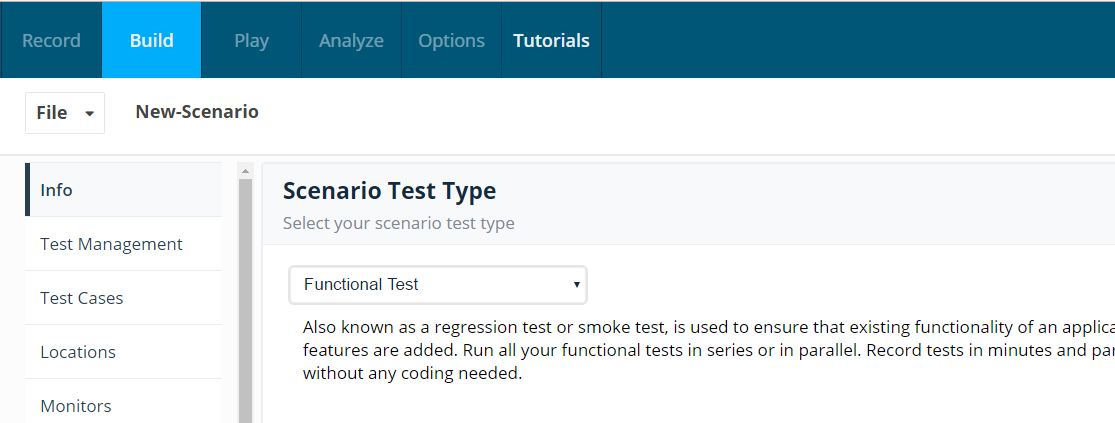
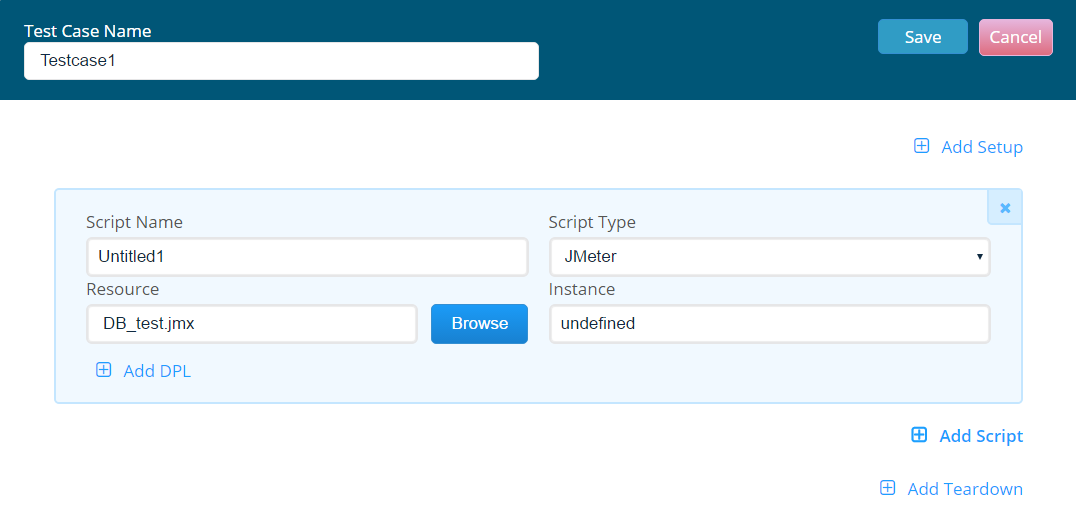
User now saves the scenario and runs theload tests andcan navigatesaffect toshared Testenvironments. ControllerCoordinate screenwith anddatabase verifiesowners the output
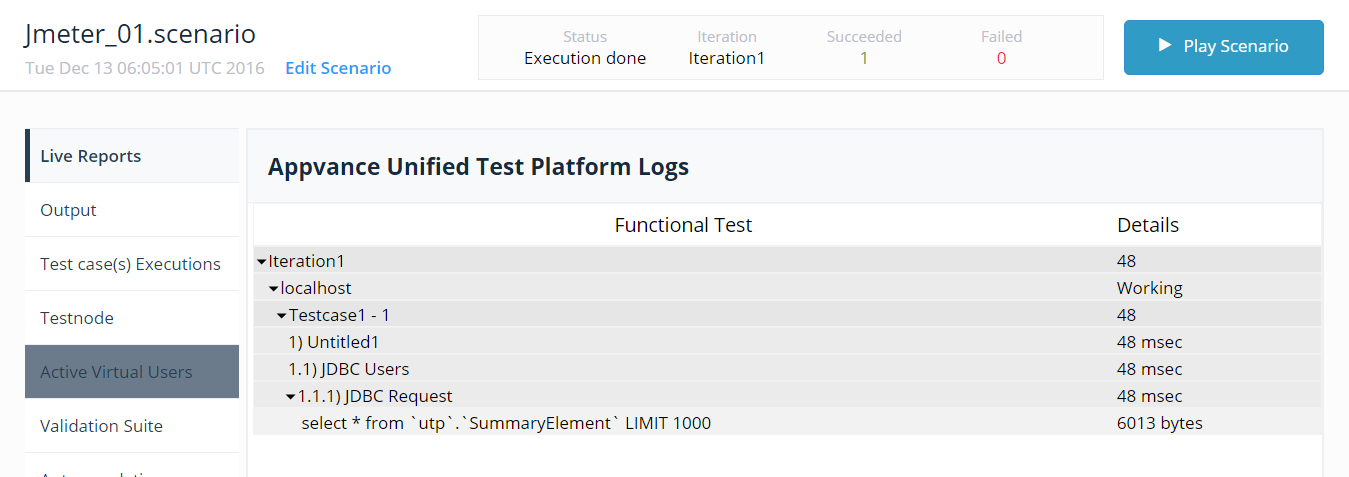
In the above scenario we arebefore running ahigh-volume simple functional test in AIQ. However if the user wants to run a Load test we will have to make some changes in the Jmeter script. The below screenshot highlights the changes that needs to be done to run the Load test in APCscenarios.
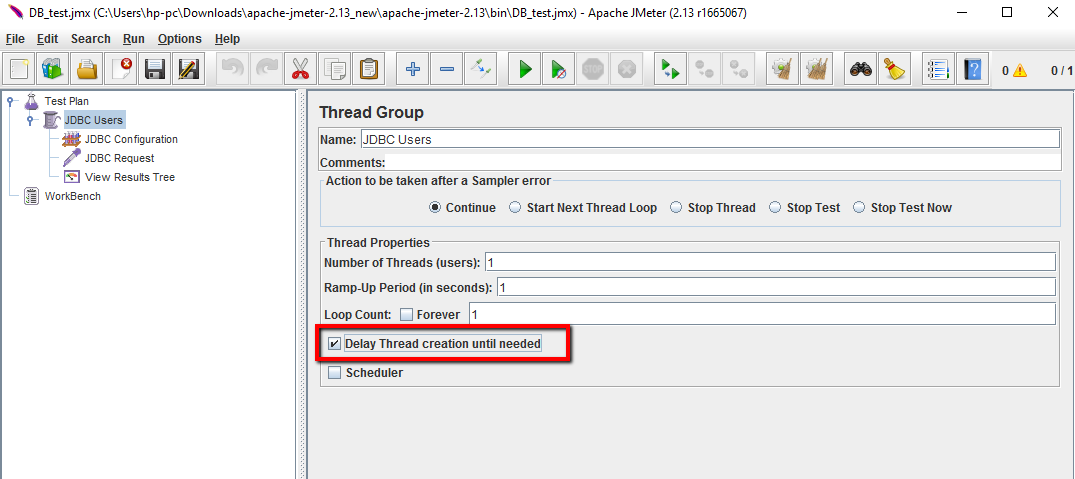
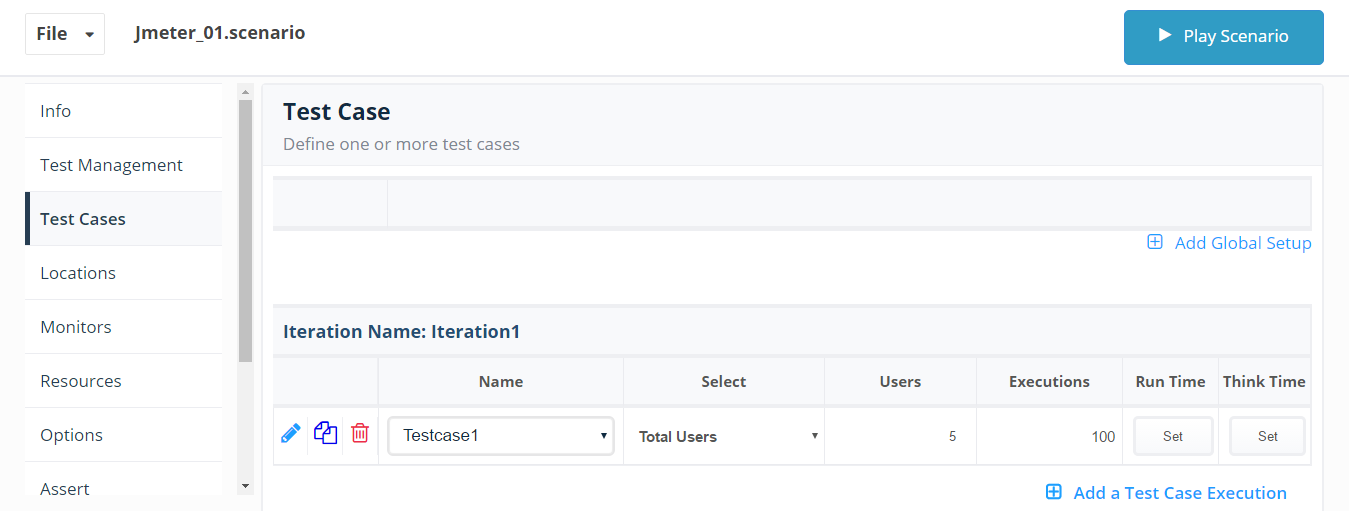
need to check in the Thread Group the option Delay Thread Creation Until Needed. Once the changes is made we can go ahead and save the script. User creates a Load test scenario with 5 users and 100 executions
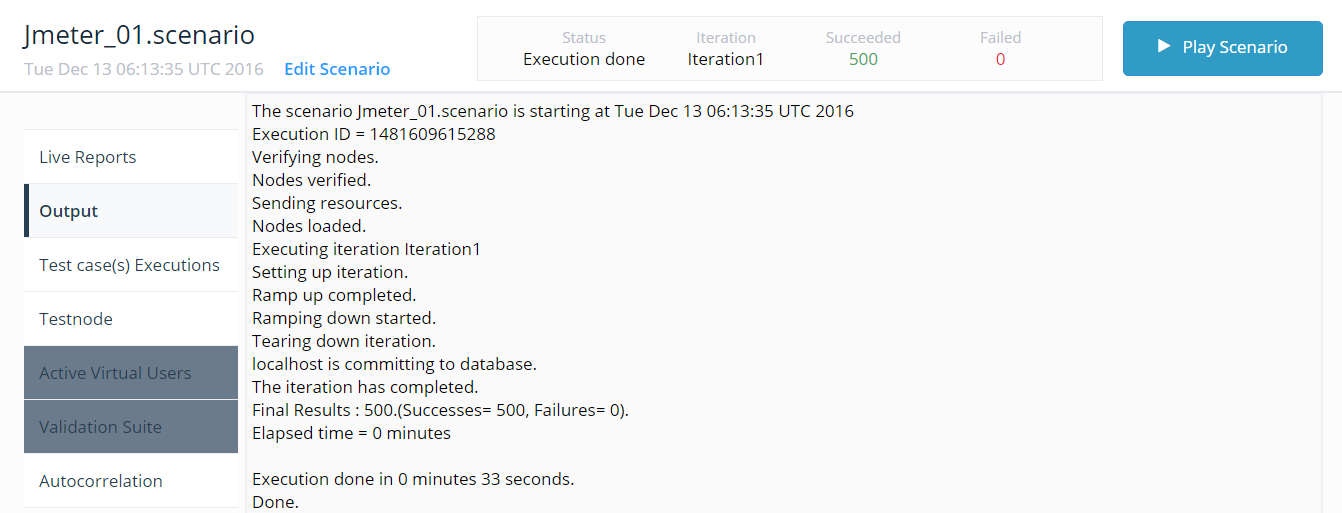
User now saves the scenario and runs the tests and navigates to Test Controller screen and verifies the output
Last updated: JuneSeptember 26,21, 20232026
If you have any feedback on this topic, please contact us at documentation@appvance.ai.