
Running Jmeter Scripts in AIQ - Best Practices
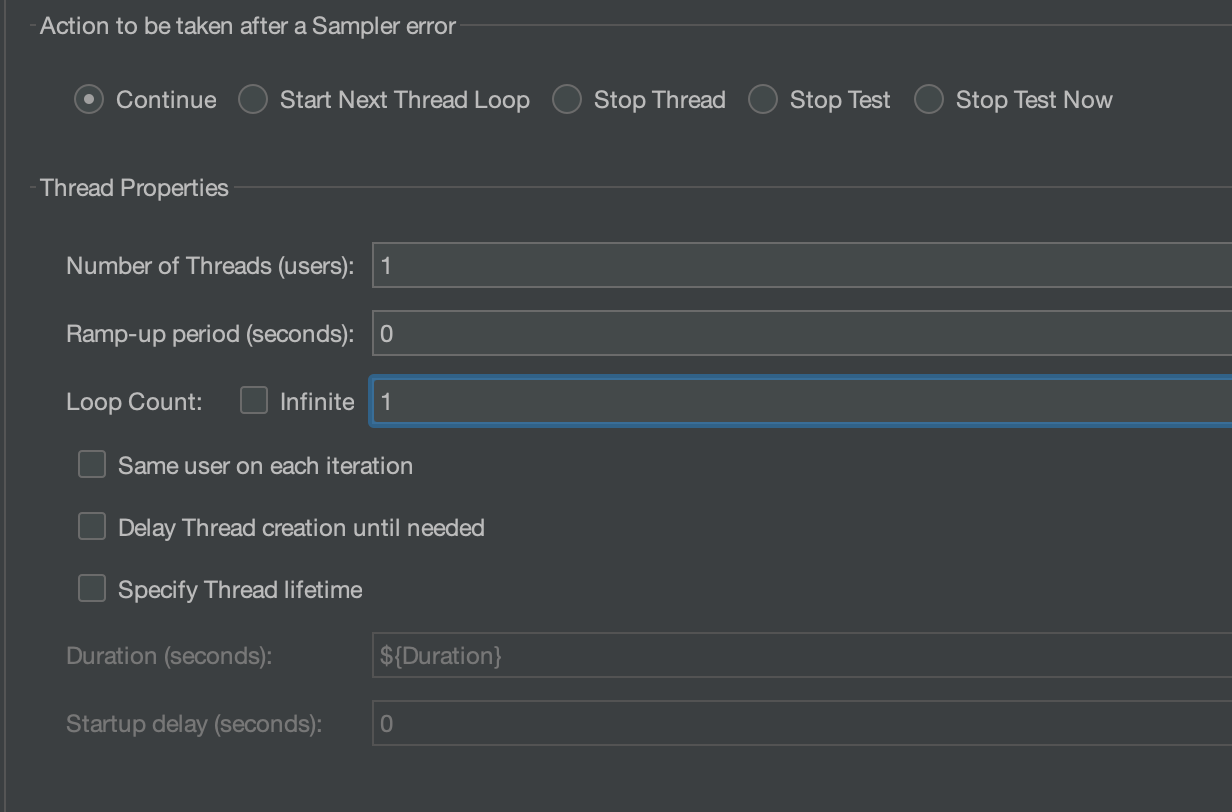
Since you want to have AIQ generate and controle the load, you need to modify your JMeter script to just 1 user (number of threads), ramp up 0, and uncheck the Specify thread lifetime. Loop count should be 1 most of the time. Can use a finite number but then need to consider that to AIQ a single transaction duration will be counting for all loops of samples.
Number of usersl rampup, and duration of the test then should be configure in the AIQ Scenario Editor settings.
-
Disable the "View Result Tree" listener during the Load test in AIQ. Because it consumes more memory and causes JMeter running to run out of memory.
-
Disable any other listeners from JMeter script before running it in AIQ.
-
Number of Threads should be given 1 in JMeter when running performance tests in AIQ, because this will add up to the iterations.
-
Better to give Ramp-up as 0 in JMeter.
-
Same as Number of Threads, loop count to be given as 1 by default.
-
Thread group - Use continue, Stop test now accordingly, using stop now will stop all other remaining threads when a thread is a failure.
-
Remove or disable all ThinkTimes from jmx script
-
Remove or disable all Uniform Random Timers from jmx script
Last updated: December 11, 2024
If you have any feedback on this topic, please contact us at documentation@appvance.ai