
Release 5.2.4
Appvance
Release can access the 5.2.4
This page includesis retained as a link to thehistorical AIQ 5.2.4 installer,release note. Preserve release-specific content while keeping formatting and terminology aligned with the listcurrent ofdocumentation fixesset.
Review inguidance
Enhancements in AIQ 5.2.4
AIQ 5.2.4 contains the following functional enhancements.
Depending on what AIQ release you are upgrading from to AIQ 5.2.4, there may be additional functional enhancements included in this release.Refer to the AIQ 5.2.x release notes for all the AIQ releases since your current release for more details.
Added Multiple Iterations for Bulk Scenarios
Multiple iterations are now available for Buck Scenarios in the Scenario Editor. Previously multiple iterations were only available for Functional and Performance scenario test types. Multiple iterations allow you to run scripts one after the other.
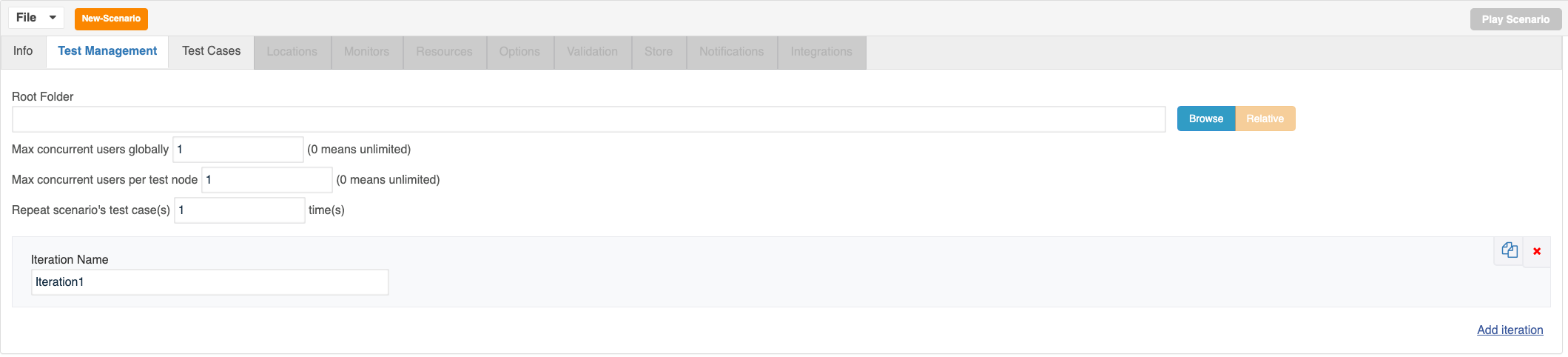
Improved Roku Remote Interface
The Roku remote control interface has been redesigned and updated in the AIQ 5.2.4 release. In addition to that, the remote control can be moved around the screen.
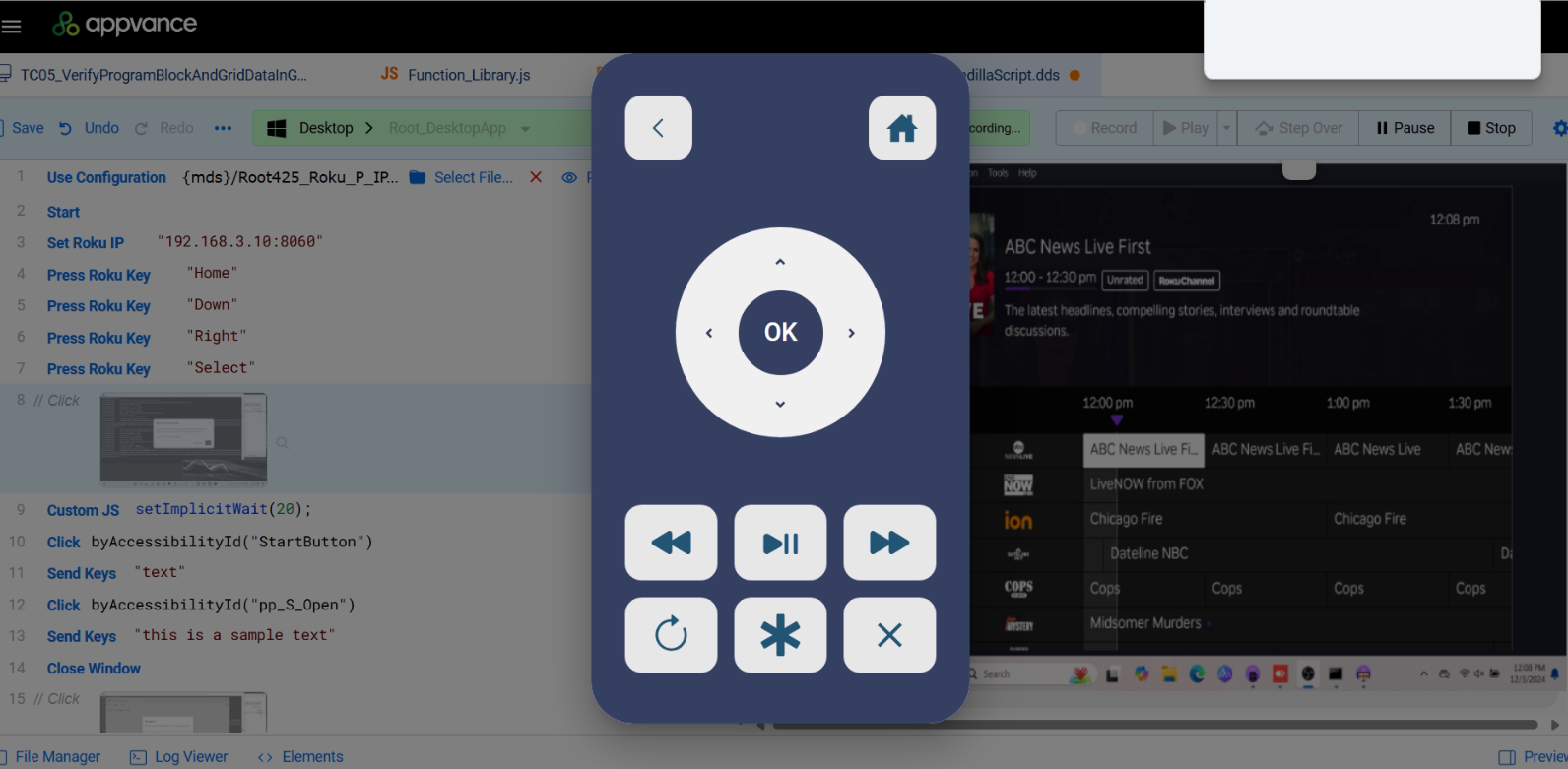
See Setup Reku Remote Control for information on configuring the Roku remote control.
Improved JMeter Response Times
Improvements were made to improve response times when using JMeter.
For accurate duration times you must:
Remove or disable all ThinkTimes from .jmx scripts
Remove or disable all Uniform Random Timers from .jmx scripts
Validation
checklistThe
The following table shows an example ofhas the improvedfinal responseupdated times.

Fixes
See the 5.2.4 release page for a list of fixes contained in AIQ 5.2.4.
Last updated: JanuaryOctober 29,9, 20252026
If you have any feedback on this topic, please contact us at documentation@appvance.ai