
Creating a Desktop Test
Here are the basic steps for creating a new desktop test file in the Desktop Designer.
Prerequisite: A desktop configuration file must be created before you create the test file. See Desktop Designer Configuration for more information.
In AIQ navigate to Desktop Testing > Desktop Designer.
Click Create aNew in the and select Desktop Test. You can also click Create New Desktop Test in AIQthe -main Legacyportion Desktopof Designerthe Flowscreen.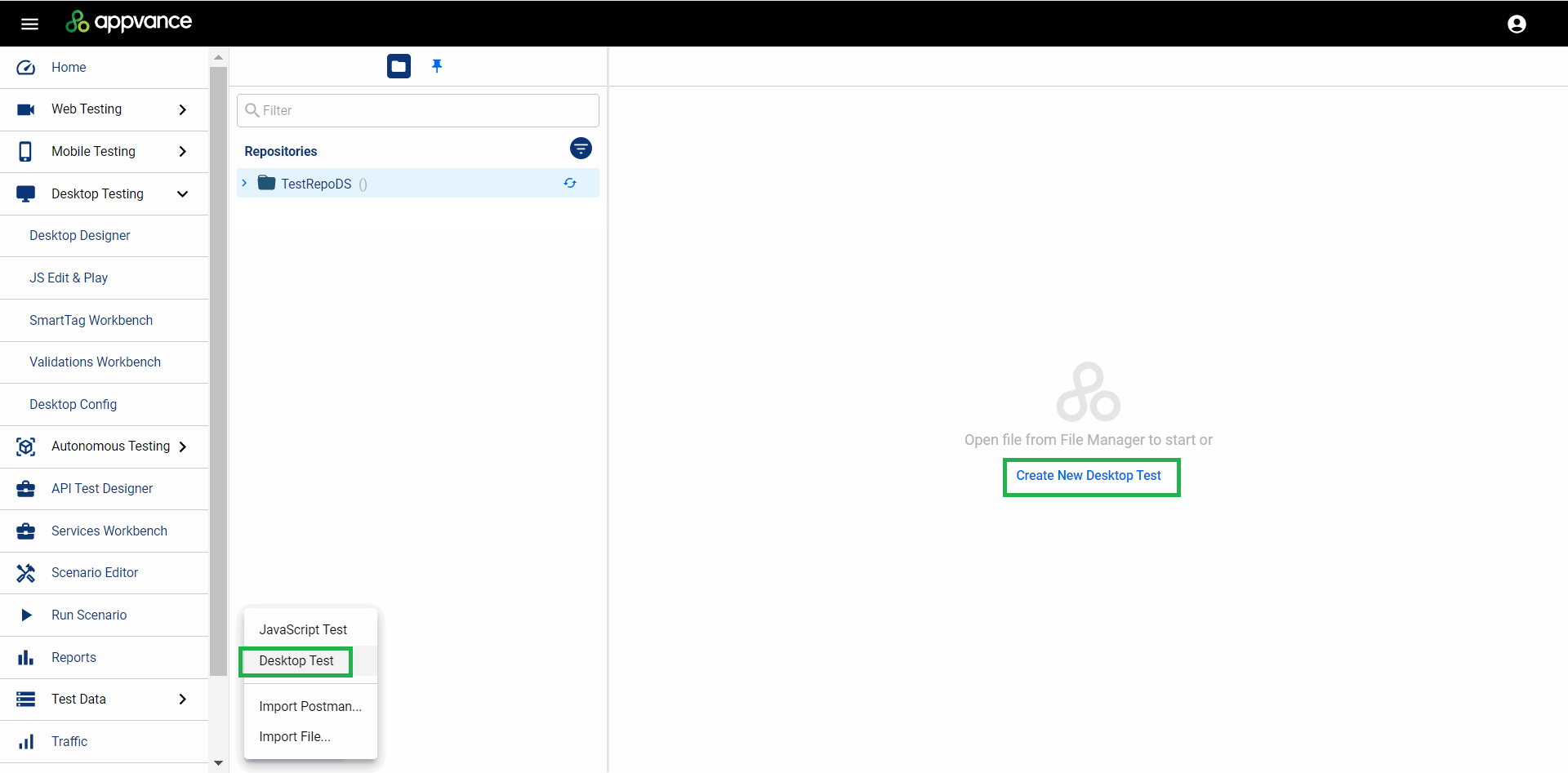
UseName thisthe pagetest onlyfile. when
On the Config line, click Select File to add a desktop automationtesting flowconfiguration thatto stillyour dependstest. onThis Desktopneeds Designer. For new test authoring, prefer the current AIQ workflow and Scenario Editor where the test canto be supporteda withoutpreexisting legacyfile. See Desktop Designer assumptions.Configuration for more information.
Before
creating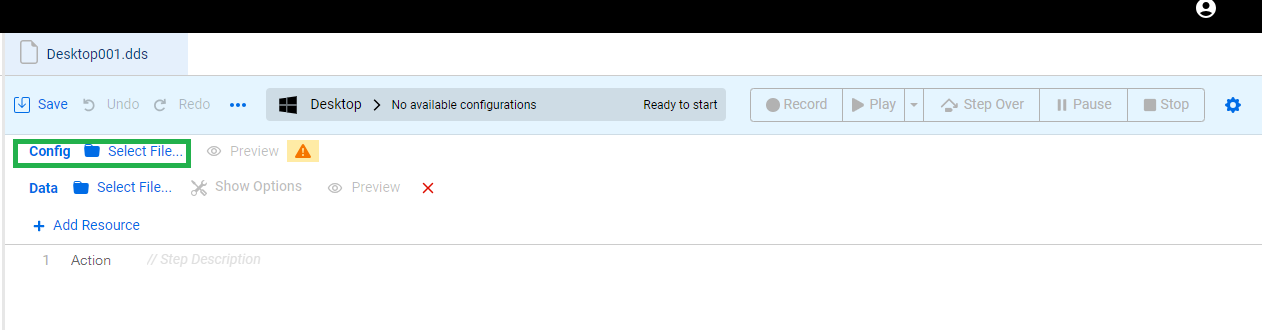
or
Browse to the testlocation
.json files.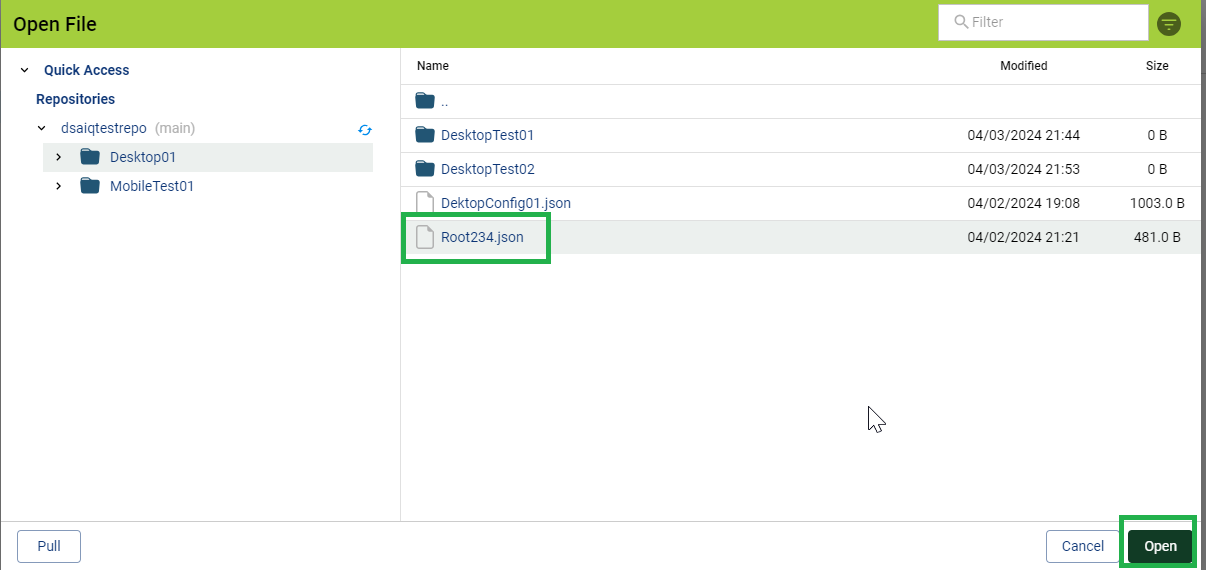
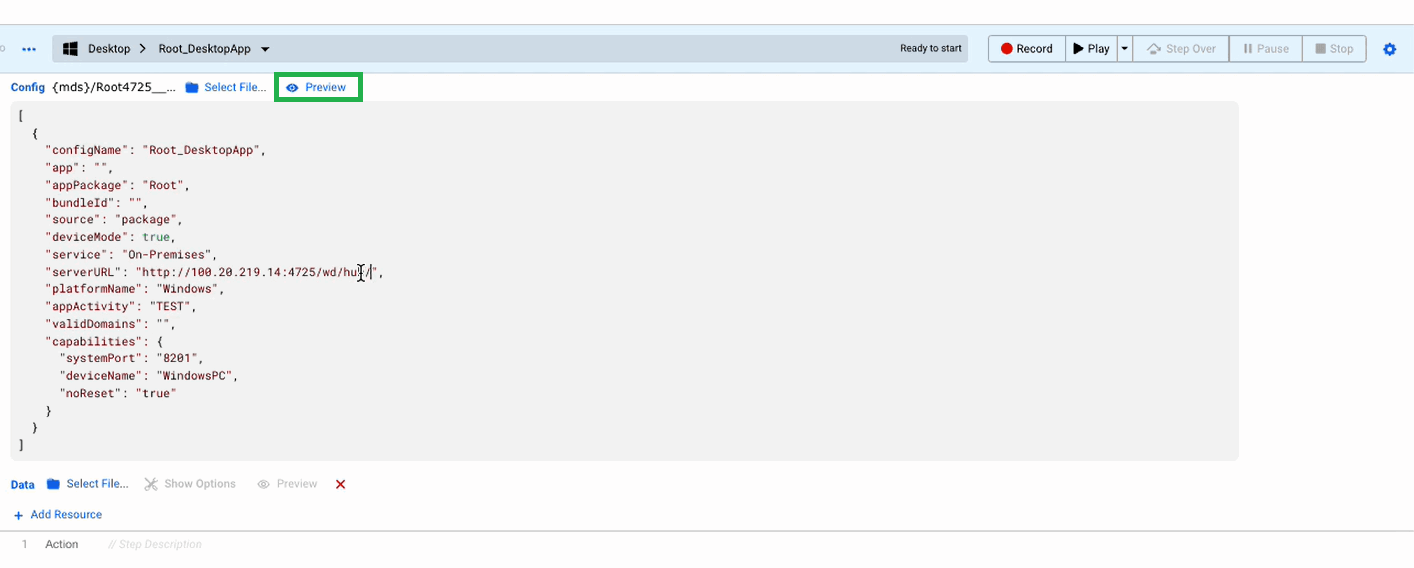
You can click Preview to verify the Windowsdetails application, browser, driver, and operating system versions used byof the testconfiguration environment.file.
You desktopcan applicationnow with a dedicated test account and non-production data.
Recommended workflow
Prepare the desktop environment and open the application in the expected starting state.Create or update the desktop test steps in the legacy flow.Add validation after major actions so failures are visible in output logs.Run a short smoke test before adding the testRecord toabegin.larger
Last updated: OctoberSeptember 8,25, 20262024
If you have any feedback on this topic, please contact us at documentation@appvance.ai