
Browsers - Bypassing HSTS Warnings
Sometimes the browser will show an HSTS warning message
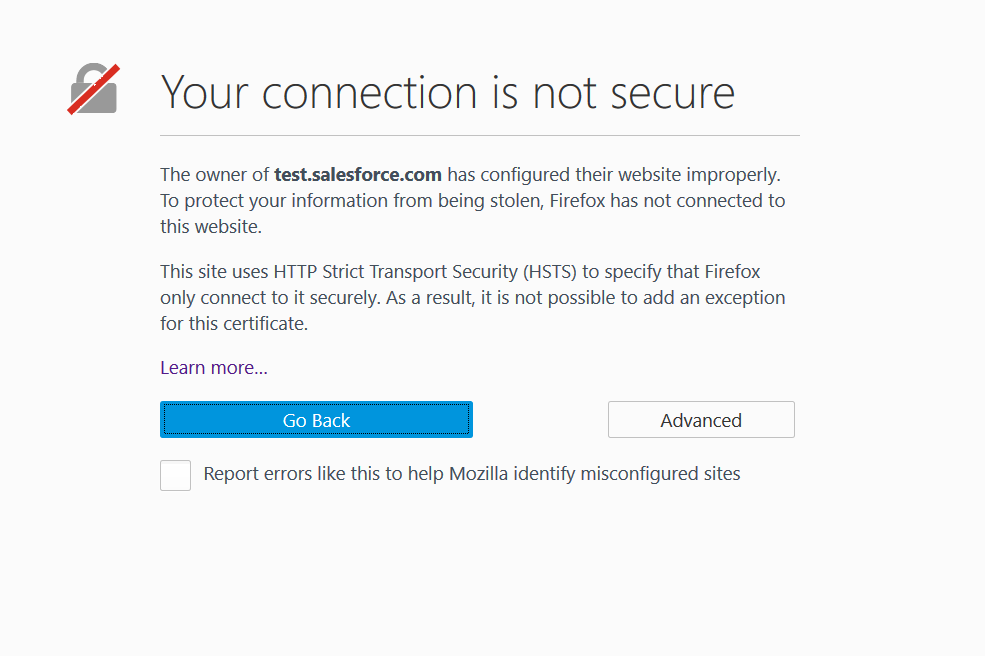
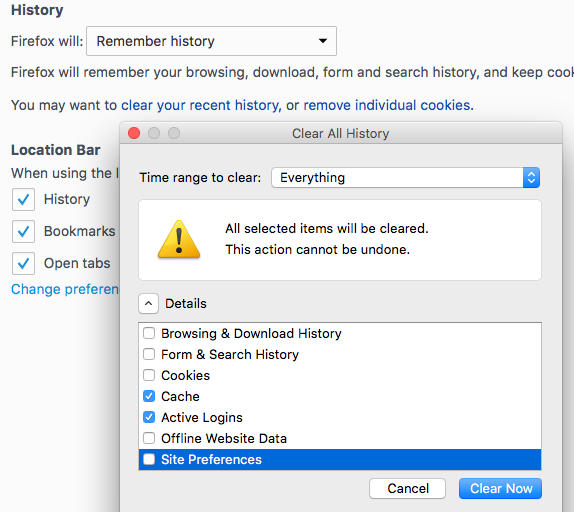
Some browsers use HSTS (HTTP Strict Transport Security), which lets a web app remember that it should only be accessed over HTTPS. When this happens, the fix is to clear the browser cache. Open the Privacy settings in Firefox and clear your recent history: Now the Cache and Active Log-ins with a Time range to clear set to Everything and Click Clear now.
As a last resource, there is an option in Firefox to fully disable HTST:
Type about:config in the Firefox URL. A warning might appear, Click OK.
On the list of options presented, look for the entry called “currentTimeOffsetSeconds”, right-click it and select > New Integer and set the value to. 11491200 or greater.
If the entry is not available in the list, it can add as well by right-clicking on the page.
Last updated: June 26, 2023
If you have any feedback on this topic, please contact us at documentation@appvance.ai