
Browsers - Bypassing HSTS Warnings
Sometimes a browser displays an HSTS warning.
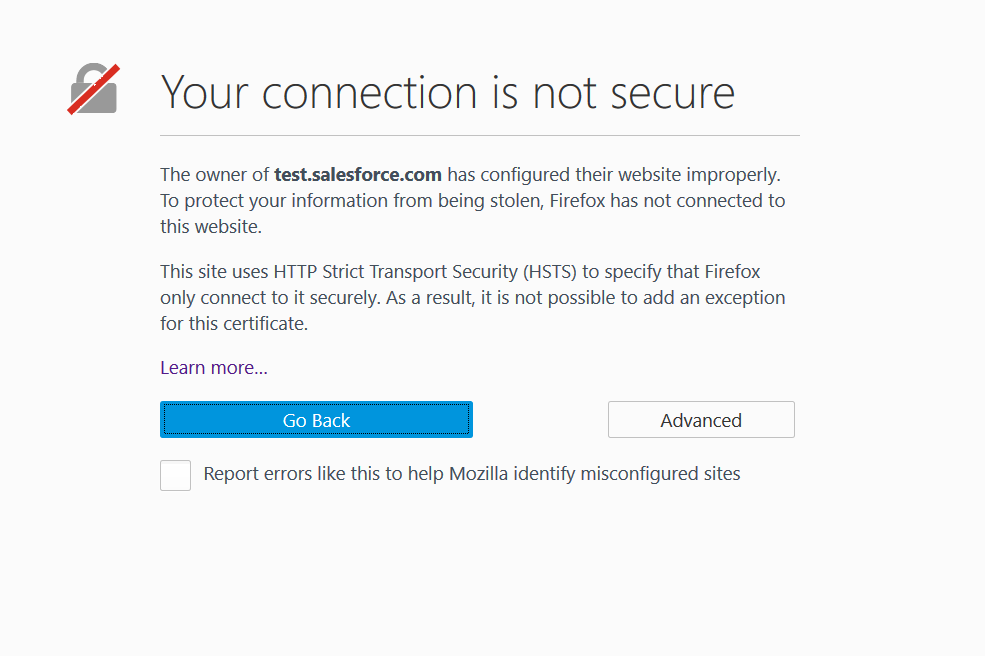
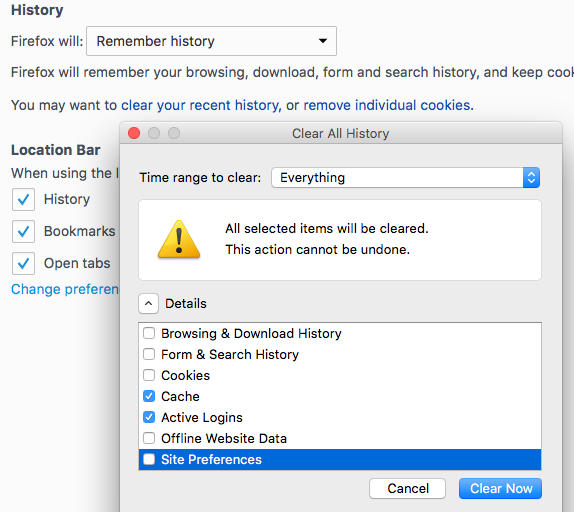
Some browsers use HSTS (HTTP Strict Transport Security), which tells a web app to use HTTPS. If the warning persists, clear the browser cache. In Firefox, open Privacy settings and clear recent history with Cache and Active Log-ins selected and the time range set to Everything, then click Clear now.
As a last resort, you can disable HSTS in Firefox:
Enter about:config in the Firefox address bar. If a warning appears, click OK.
Find network.stricttransportsecurity.preloadlist, right-click it, and set it to false.
If the preference is not listed, right-click the page, select New > Boolean, enter network.stricttransportsecurity.preloadlist, and set it to false.
Last updated: October 16, 2026
If you have any feedback on this topic, please contact us at documentation@appvance.ai