
iOS - Proxy Settings
On your iOS device,
- Go to Settings
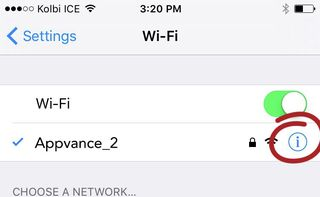
- Click Wi-Fi
- Connect to the same network as AIQ is running.
- Select the info (i) button
- Scroll down to the HTTP Proxy section and select Auto
- Edit the URL and add the URL of the iphone.pac file:
NOTE: important the http:// is mandatory, if missing the proxy will not receive any traffic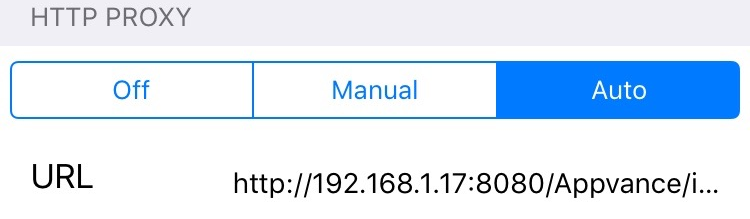
- Go to Manual, provide the Server (the IP address of the machine where AIQ is running)
and the Port number (9095), the same port number provided in AIQ HTTP Proxy.
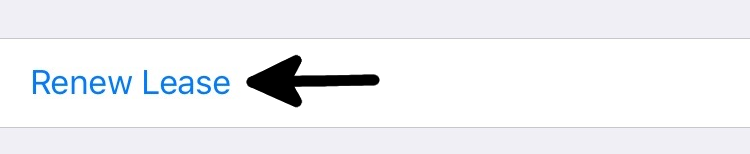
http://<appvance-proxy-server-ip>:8080/Appvance/iphone.pac - It might be necessary to hit the link “Renew Lease” if you see that it takes a while for the Wi-Fi connection to apply to the iphone.pac file
Last updated: October 16, 2026
If you have any feedback on this topic, please contact us at documentation@appvance.ai