
Android - Installing Certificates
- Click the link to download the certificate.
- Copy the certificates to the Android device and go to Settings/Lock screen and security.
- Click Other security settings (at the bottom).
- Click Install From Device Storage

- Select certificate.pfx and click DONE.
- Type password appvance.
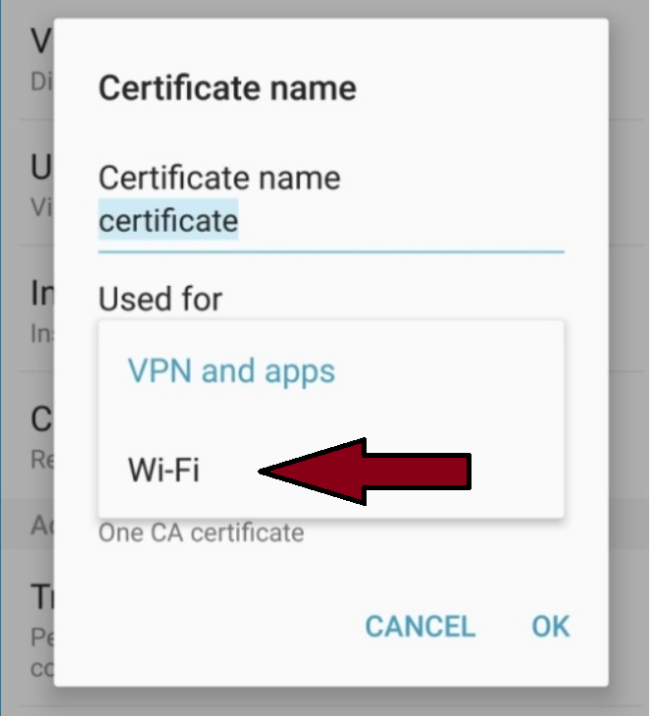
- Select Use for VPN and Apps and click OK.
- Repeat the process and select Wi-Fi and select OK.
Last updated: October 16, 2026
If you have any feedback on this topic, please contact us at documentation@appvance.ai