
IOS - Proxy Settings
On your IOS device,
Go to Settings
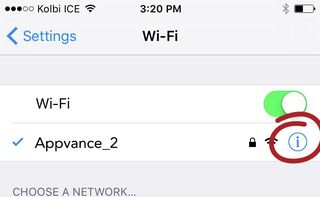
Click Wi-Fi
Connect to the same network as AIQ is running.
Select the info (i) button
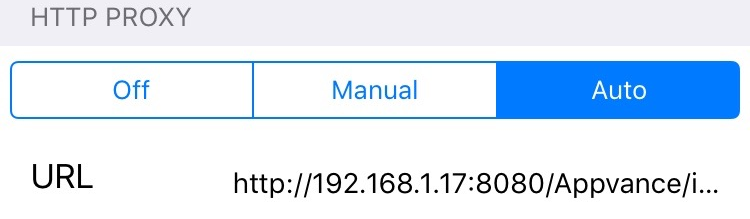
Scroll down to the HTTP Proxy section and select Auto
Edit the URL and add the URL of the iphone.pac file:
NOTE: important the http:// is mandatory, if missing the proxy will not receive any traffic
Go to Manual, provide the Server (the Ip Address of the machine where AIQ is running)
and the Port number (9095), the same port number provided in AIQ HTTP Proxy.
http://<appvance-proxy-server-ip>:8080/Appvance/iphone.pac
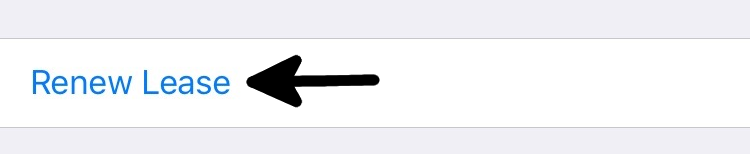
It might be necessary to hit the link “Renew Lease” if you see that it takes a while for the Wi-Fi connection to apply to the iphone.pac file
Last updated: June 26, 2023
If you have any feedback on this topic, please contact us at documentation@appvance.ai