
Set Up a Repository Connection in AIQ
Did
Recommended you know AIQ seamlessly works with change management repositories?guidance
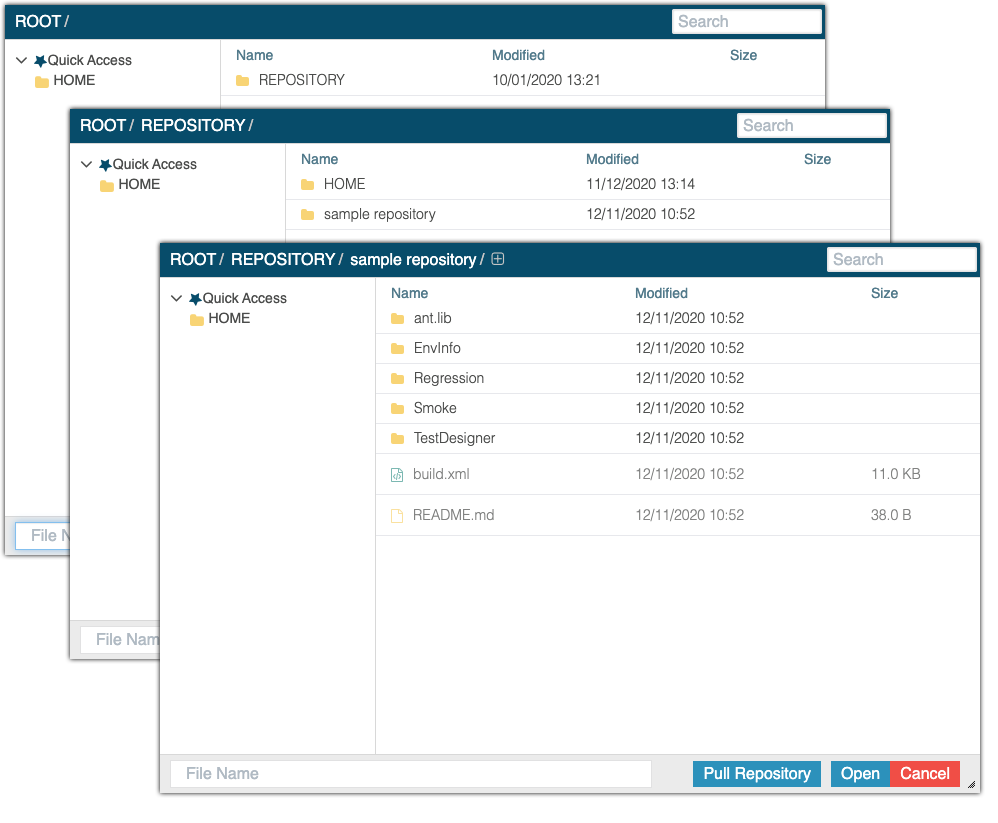
IfSet you see the message "No Repositories" (highlighted below) in the File Manager pane it means that you do not have a validup repository configured.connections You must have a repository configured to store your files. Storing files locally is not supported.
Assets created by you and your team are automatically shared, versioned and available directly fromin AIQ when youtests, setupservices, data files, or reusable assets need to come from controlled source control. The connection should be tied to a connectionclear project, branch strategy, and access model.
Before setup
- Confirm repository URL, provider, branch, folder path, and target AIQ project.
- Validate network, proxy, firewall, DNS, and certificate access from the AIQ host.
- Use approved Git credentials, tokens, or SSH keys with the minimum required access.
- Confirm whether AIQ should read only or also write back to the
gitrepository.
Validation workflow
- Create or
svn repository of your choice.Prerequisites: What you’ll need before you begin Your AIQ URL and credentials
The URL and credentials for your preferred git or svn repository
Create a Repository Connection
Expand Global Options (bottom of the left Navigation bar) and click Preferences
Using either a provided GIT repository URL and your gitlab credentials, or a URL to your own repository, follow the steps in the image below to setupupdate the repository connection
What'sand Next?
When you useconfirm the AIQexpected Filefiles Browser,appear.
Last updated: MarchOctober 21,6, 20242026
If you have any feedback on this topic, please contact us at documentation@appvance.ai