
Integration with Datadog (APM)
Datadog is a supported third-party application performance management (APM) integration with AIQ. Datadog is an observability service for cloud-scale applications, providing monitoring of servers, databases, tools, and services, through a SaaS-based data analytics platform.
When setting up integration with DataDog the parameter live=true must be replaced with live=false otherwise DataDog will only show the last 10 minutes.
Datadog integration was added in AIQ release 4.9.0.
Datadog Setup
-
Login to your Datadog Dashboard at: https://app.datadoghq.com/dashboard/
-
Sign in with your credentials.
-
Navigate to a dashboard that you want to integrate with AIQ and select the duration range using the Unix timestamps option.
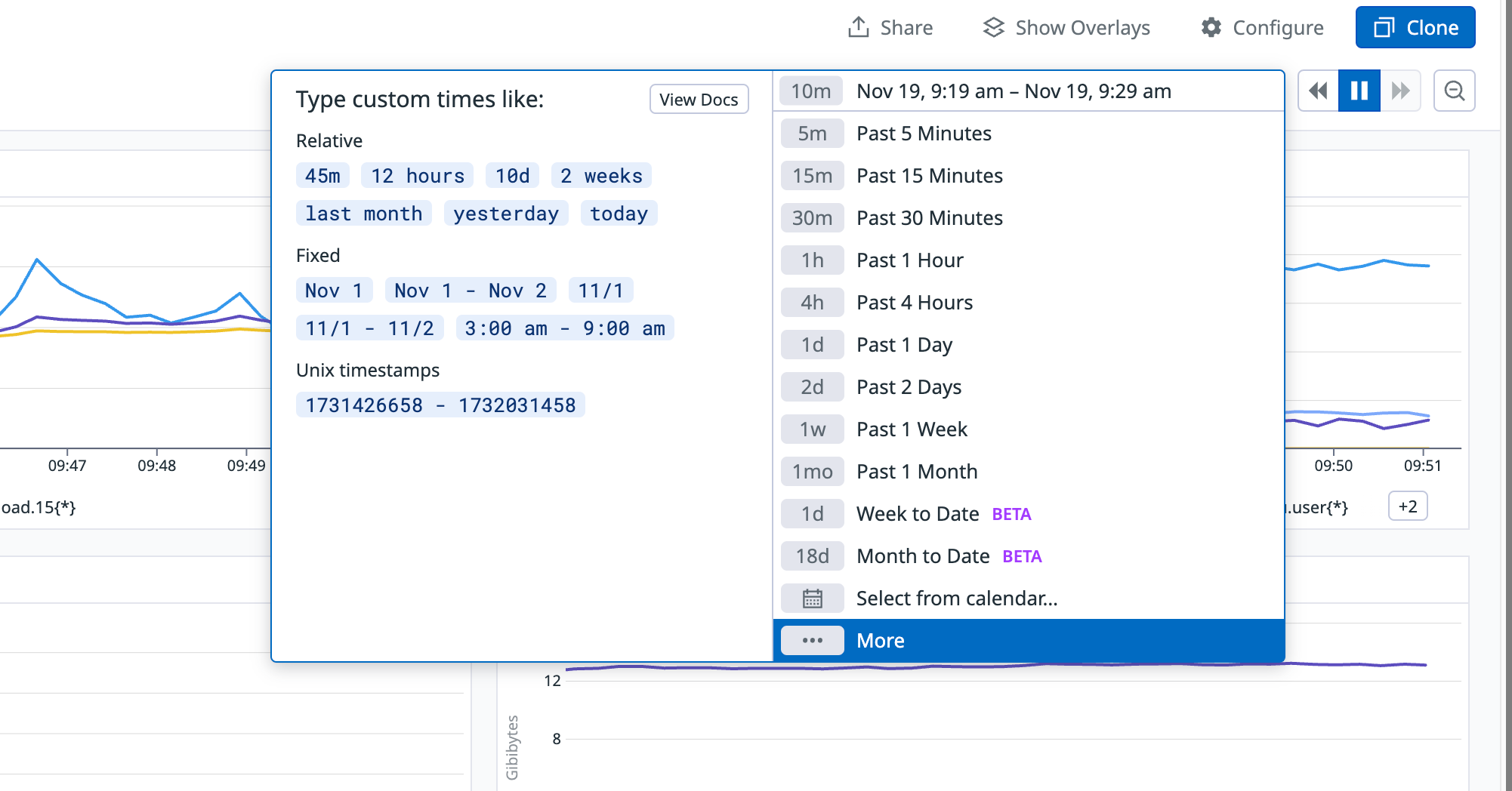
-
Copy the URL of the dashboard.
AIQ Setup
-
Open AIQ.
-
Navigate to Global Options > Preferences > APM Integrations.
-
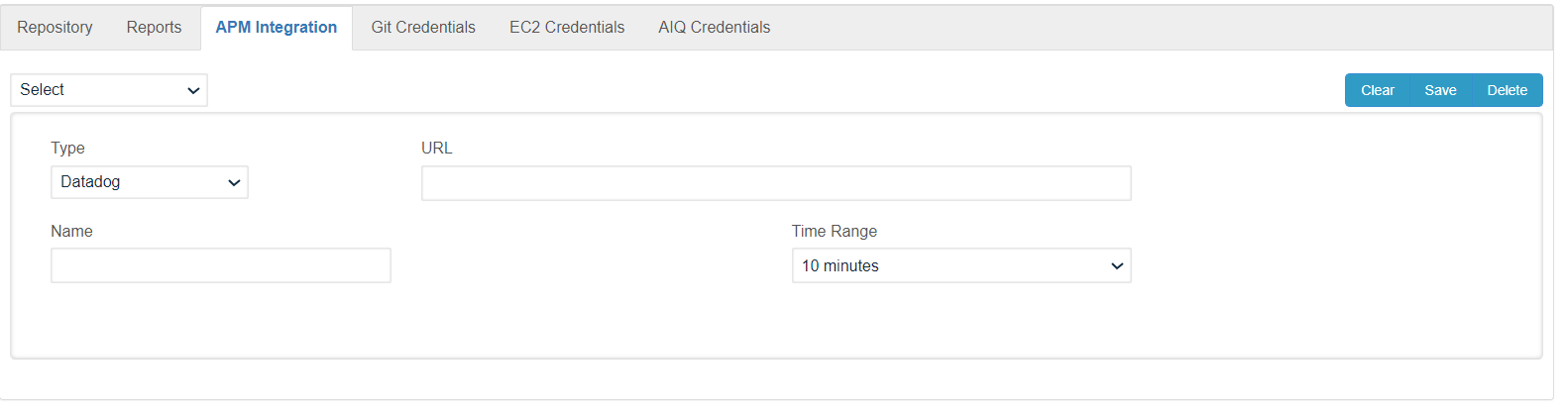
Select Datadog in the dropdown.
-
Paste the URL of your DataDog Dashboard in the URL field.
-
Create a name for the integration.
-
Set the time to analyze along the execution. For example, 10 minutes will analyze 5 minutes before and 5 minutes after of a point selected in the execution.
-
Click Save button.
-
Confirm the integration is saved in the dropdown at the top left corner.
Test the Integration
-
Log in to AIQ and go to the reports section. Look for a past scenario with logged detailed executions.
-
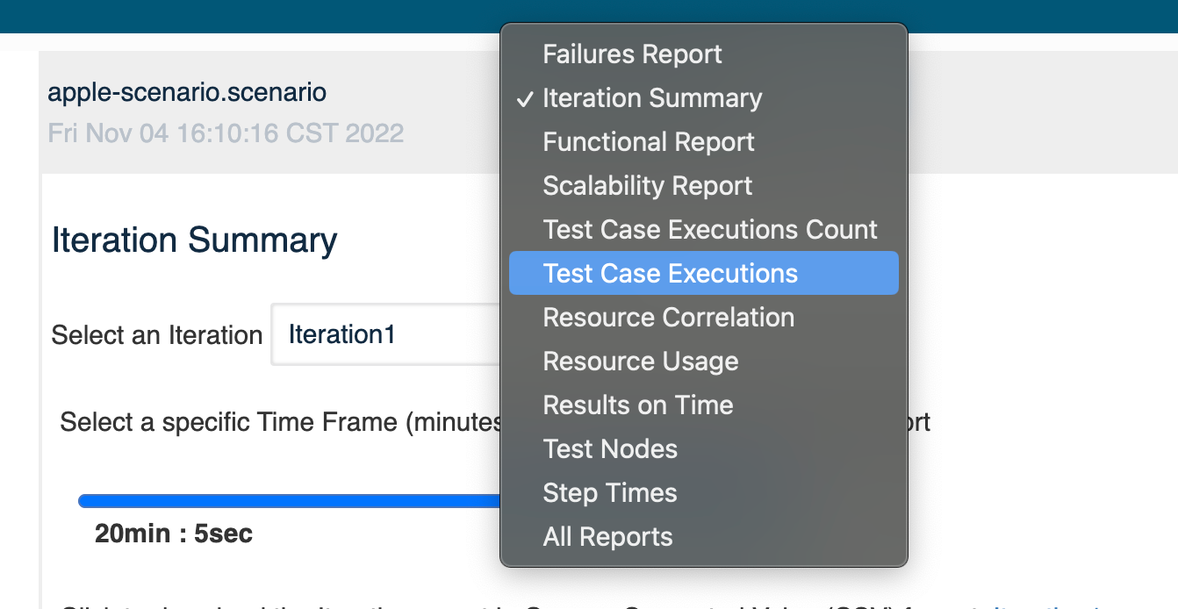
Click Analyze link and select the Testcase Executions report in the drop down.
-
Click on one of the triangles in the graph to show the details of that execution. Remember the time that is shown.
Example: Datadog execution details at 4:11:59 PM.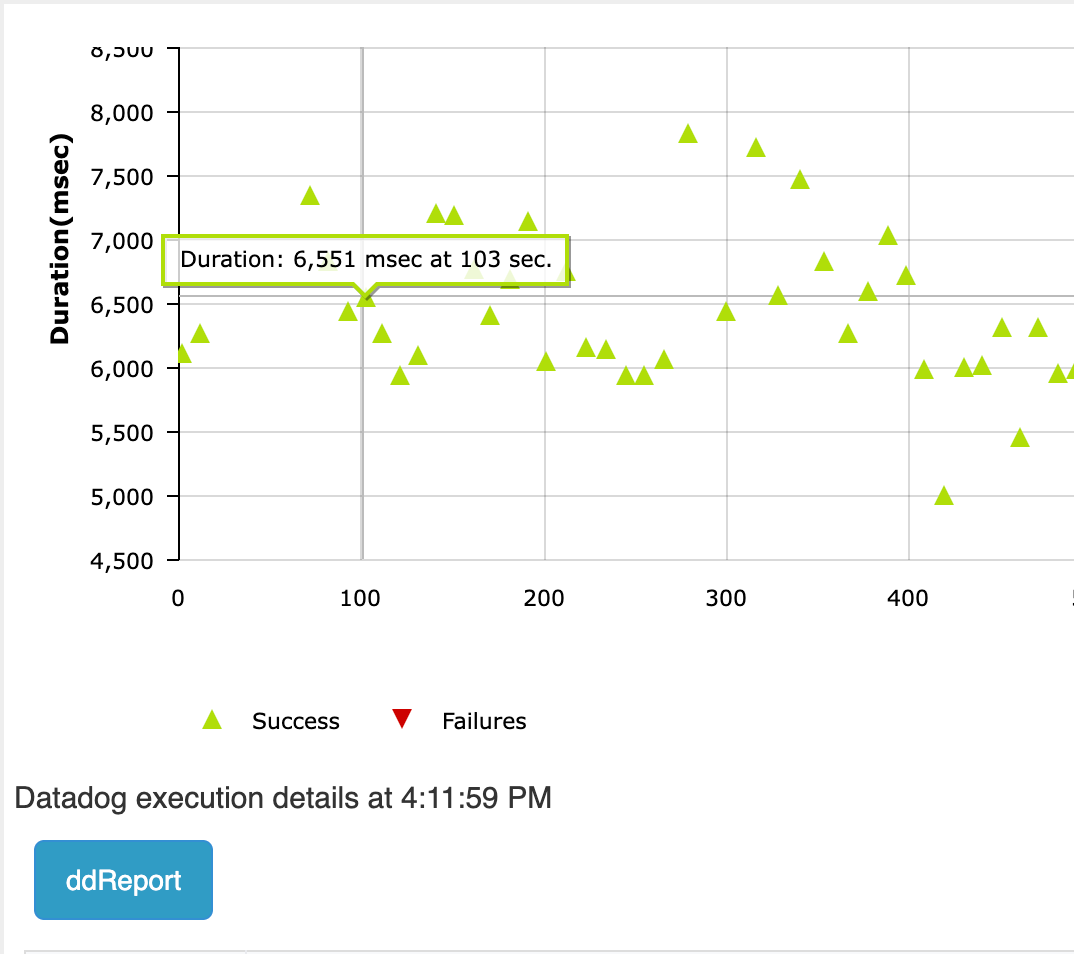
-
Below the graph you will find a button with a label matching the name you gave to the APM integration. When you click this button it will open a new window with the DataDog report between the time specified in the APM integration settings.
Example: 10 minutes, should show the report between 4:06pm and 4:16pm.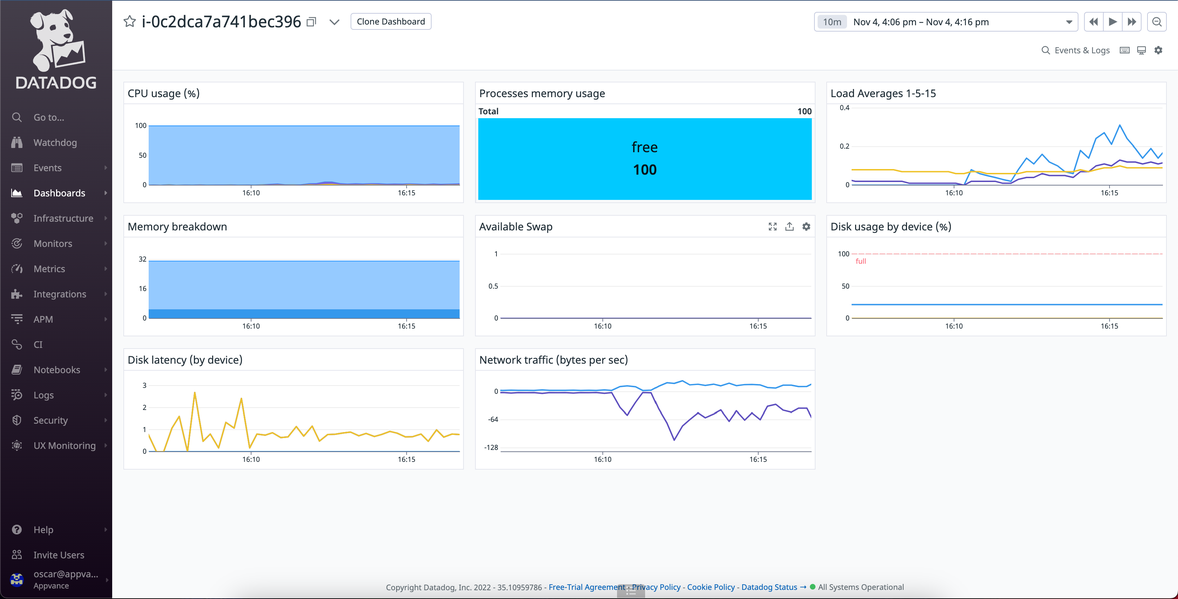
Last updated: November 19, 2024
If you have any feedback on this topic, please contact us at documentation@appvance.ai