
Integrate AIQ with Datadog APM
Integrate AIQ with Datadog isAPM
Use supportedDatadog third-partyAPM integration when AIQ executions need to be correlated with application performancetraces, managementinfrastructure (APM)metrics, integrationor service health data. Coordinate with AIQ.the application and observability teams before enabling collection.
Configuration checklist
- Confirm the Datadog
issite,anAPI/applicationobservabilitykeys,serviceagent endpoint, and environment tags. - Use secured storage for
cloud-scale applications, providing monitoring of servers, databases, tools,keys andservices,avoidthroughprintinga SaaS-based data analytics platform.When setting up integration with DataDog the parameterlive=truemust be replaced withlive=falseotherwise DataDog will only show the last 10 minutes.
logs.Datadog integration was addedthem in AIQreleaseoutput4.9.0. - Tag AIQ runs with useful identifiers such as environment, scenario, build, release, or execution ID.
- Verify that collected data does not include sensitive payloads or customer secrets.
- Align retention and dashboard ownership with the observability team.
DatadogValidation Setupworkflow
- Run a small AIQ execution that calls an instrumented application.
- Confirm
expected tags.Logintracestooryourmetrics appear in DatadogDashboardwithat:thehttps://app.datadoghq.com/dashboard/ - Compare
- AIQ
Sign intiming withyour credentials.
Navigate to a dashboard that you want to integrate with AIQ and select the duration range using the Unix timestamps option.
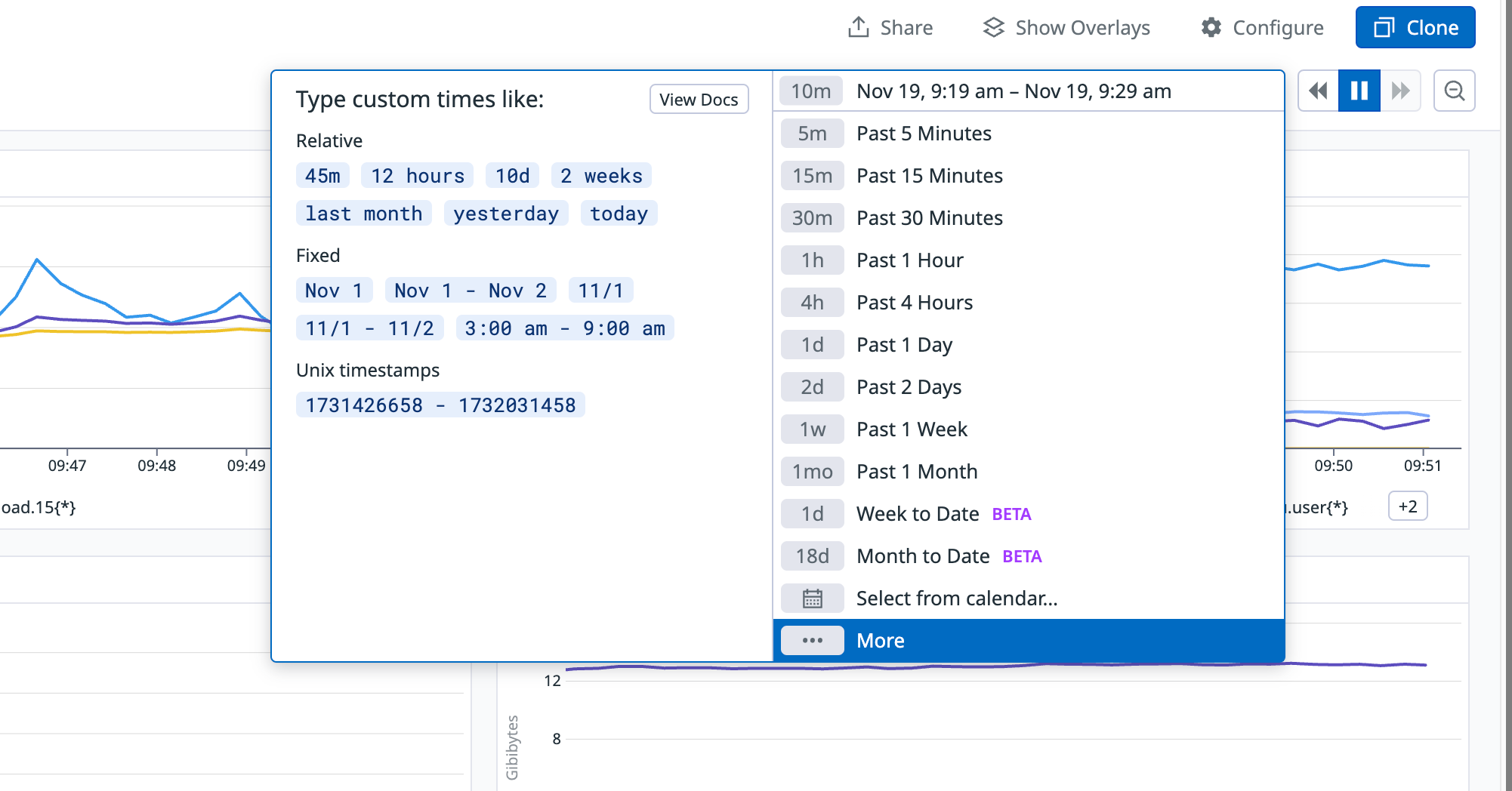
Copy the URL of the dashboard.
AIQ Setup
Open AIQ.
Navigate to Global Options > Preferences > APM Integrations.
Select Datadog inservice the dropdown.
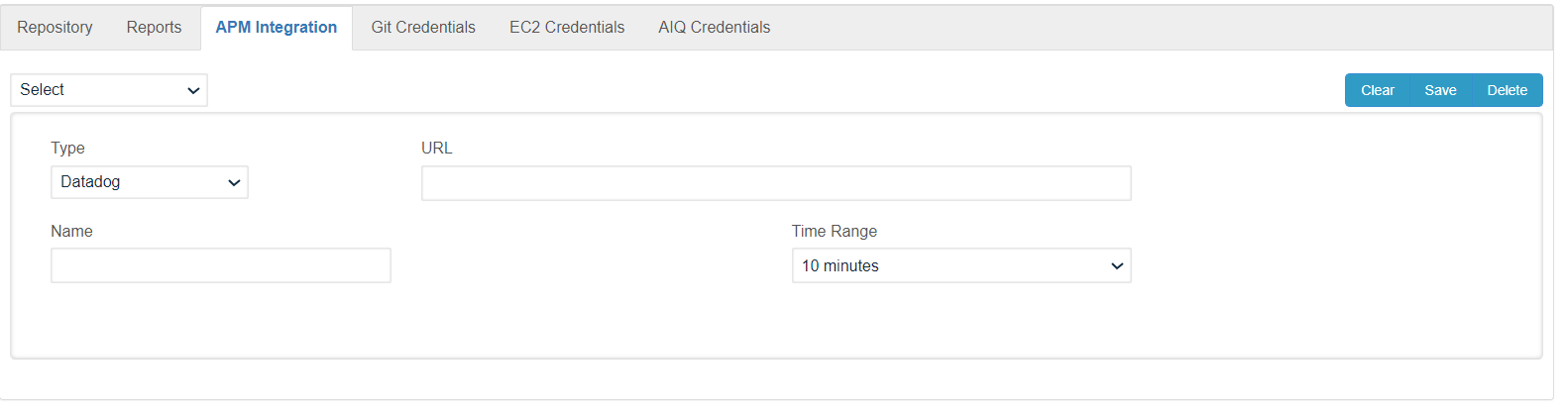
Paste the URL of your DataDog Dashboard in the URL field.
Create a nametiming for the integration.
Setlinks, thetag time to analyze along the execution. For example, 10 minutes will analyze 5 minutes beforeconventions, and 5troubleshooting minutes after of a point selected in the execution.
Click Save button.
Confirm the integration is saved in the dropdown at the top left corner.
Test the Integration
Log in to AIQ and go to the reports section. Look for a past scenario with logged detailed executions.
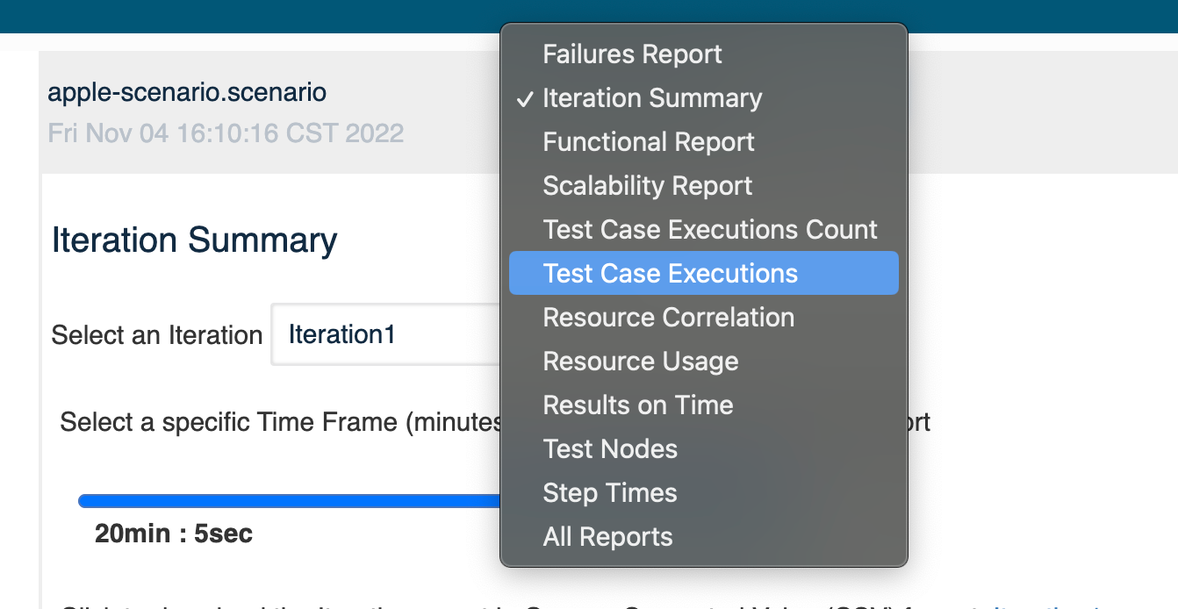
Click Analyze link and select the Testcase Executions report in the drop down.
Click on one of the triangles in the graph to show the details of that execution. Remember the time that is shown.Example: Datadog execution details at 4:11:59 PM.
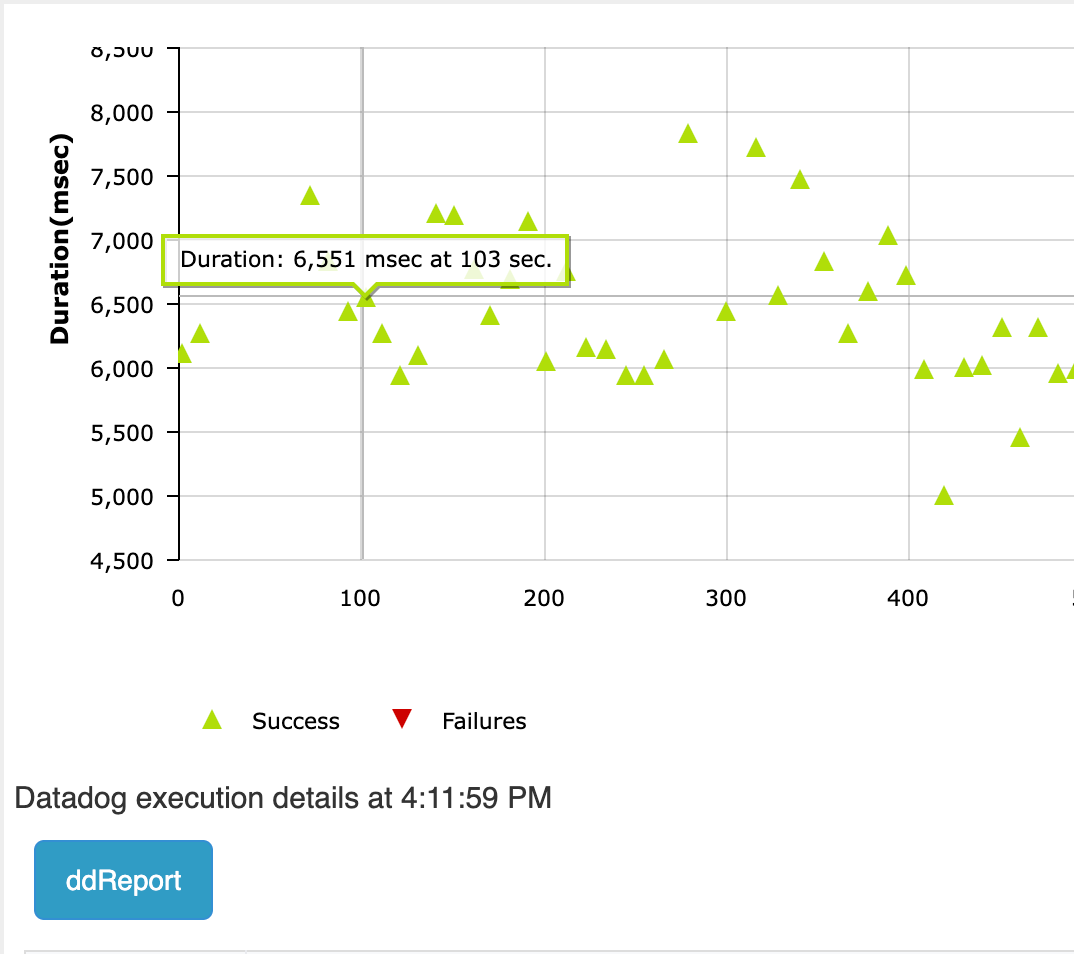
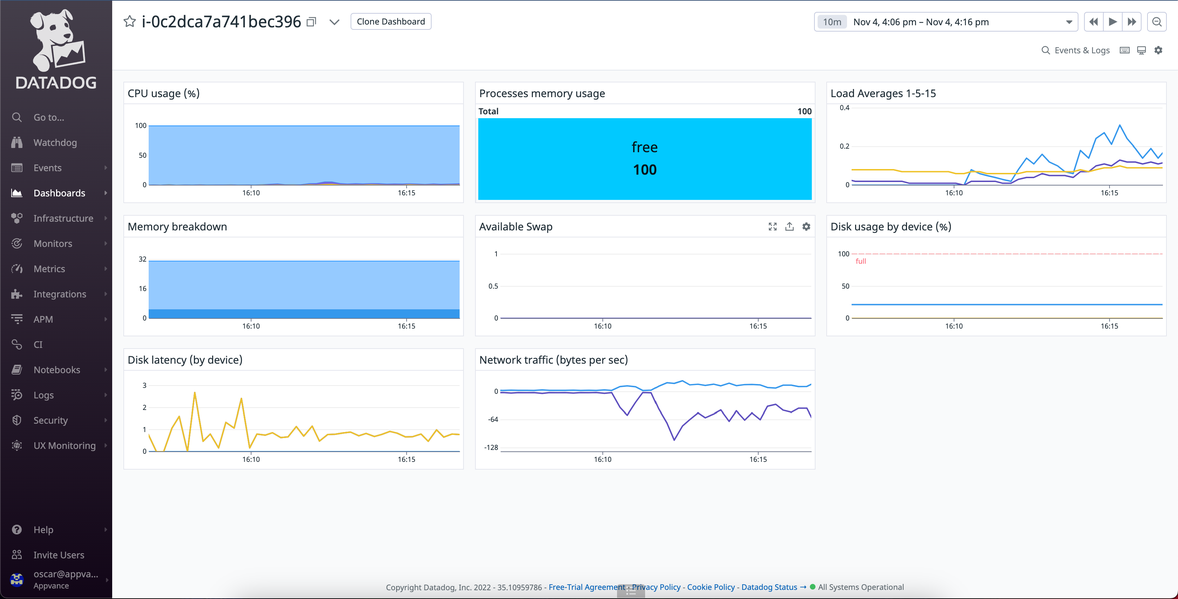
Below the graph you will find a button with a label matching the name you gave to the APM integration. When you click this button it will open a new window with the DataDog report between the time specified in the APM integration settings.Example: 10 minutes, should show the report between 4:06pm and 4:16pm.
Last updated: NovemberOctober 19,8, 20242026
If you have any feedback on this topic, please contact us at documentation@appvance.ai