
Removing Users
Login to Appvance IQ as an Last reviewed:Admin Septemberand 22,navigate 2026to Options page > Preferences > Credentials and Click the ‘Delete’ button on the same line of a user whom you want to delete.
Use
this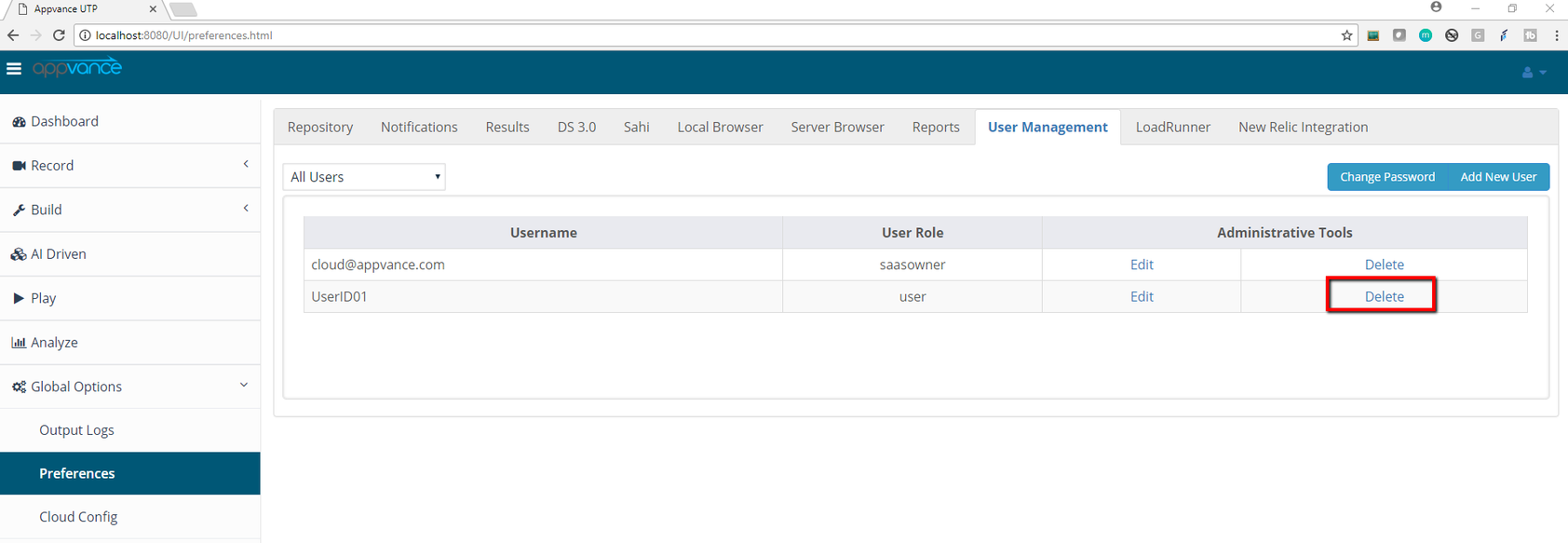
guidance when removing, disabling, or deactivating AIQ users as part of user lifecycle management.
Recommended
A guidanceconfirmation
Prefermessagedeactivationwillwhenpopaudituphistorywithoraownershipmessageneeds“Are you sure you want toremain intact.Transfer ownership of projects, scenarios, schedules, or integrations before removal.Follow company identity and access-management policy.
Validation workflow
Confirmdelete theuseruser:andUsername”reasonClick
for'Yes'removal.Reviewtoassets, scheduled executions, tokens, and integrations owned bydelete theuser.TransferUserownership or disable dependent automation as needed.Deactivate or removefrom theuserUserusinglist.the supported admin workflow.Validate that access is removed and audit records remain available.
Note: Do not delete users casually if their account owns active assets or audit history.
Last updated: SeptemberJuly 22,10, 20262023
If you have any feedback on this topic, please contact us at documentation@appvance.ai.