
Manage AIQ Report Templates
TheLast Reportsreviewed: preferencesSeptember page24, is used to create report templates. 2026
Report
templatesNavigatecontrol tohow AIQ >execution Globalresults Optionsare >packaged Preferencesfor >review, Reportssharing, tab.and customer-facing evidence.
Recommended 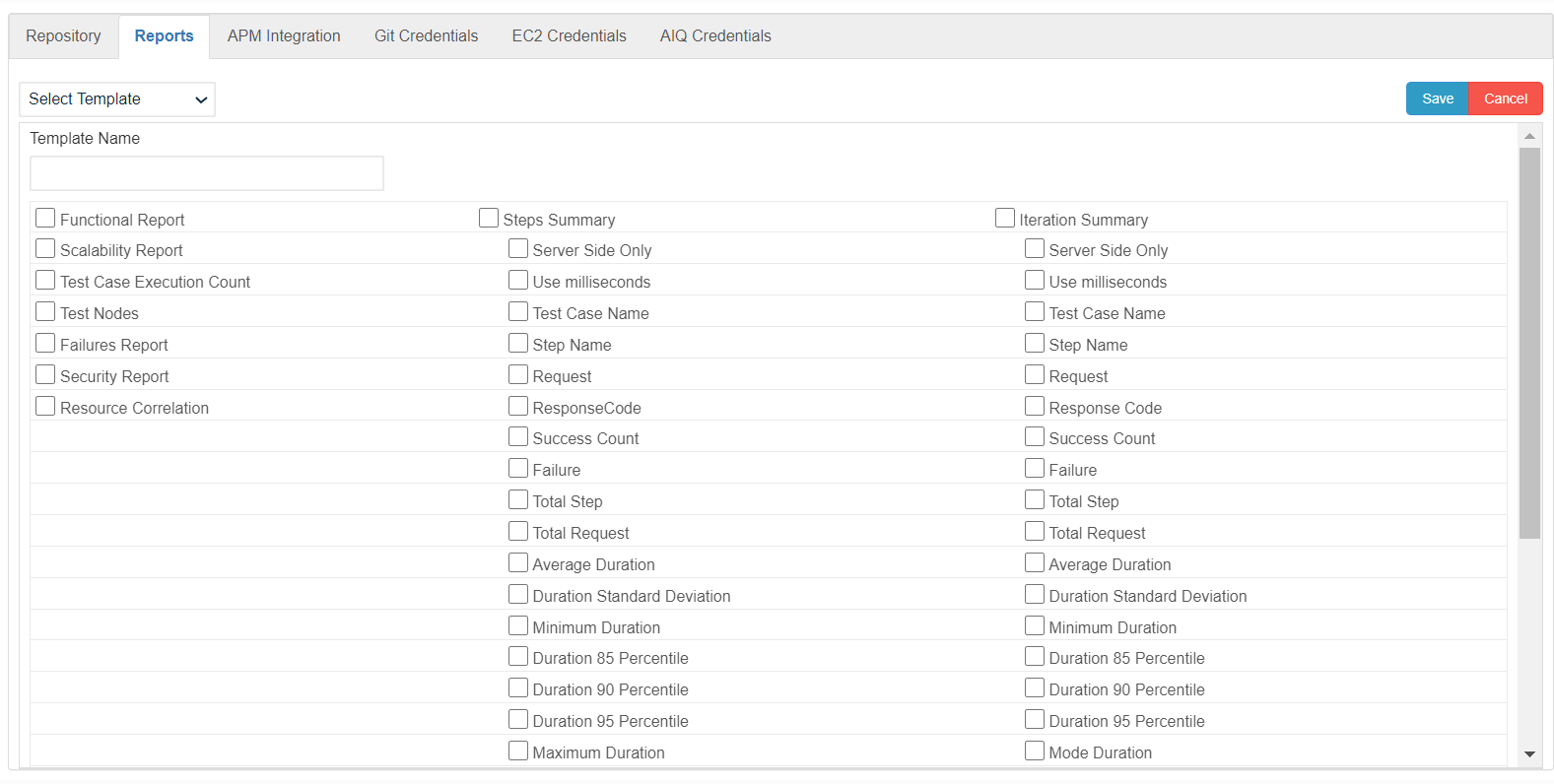
- Keep standard templates aligned with the metrics your team uses for release decisions.
- Avoid
- editing
Enterproduction templates without saving avalidversionednamecopyforfirst. - Validate templates against recent results before sharing them externally.
Validation workflow
- Open the
newReport Template.
Select the required report options.
Click Save.
The newly created Report Template can be seen in the All Reports drop down on the Report Analysis page. Navigate to AIQ > Reports.
To view the report, select the newly created report template fromsettings and identify the drop-down.
to 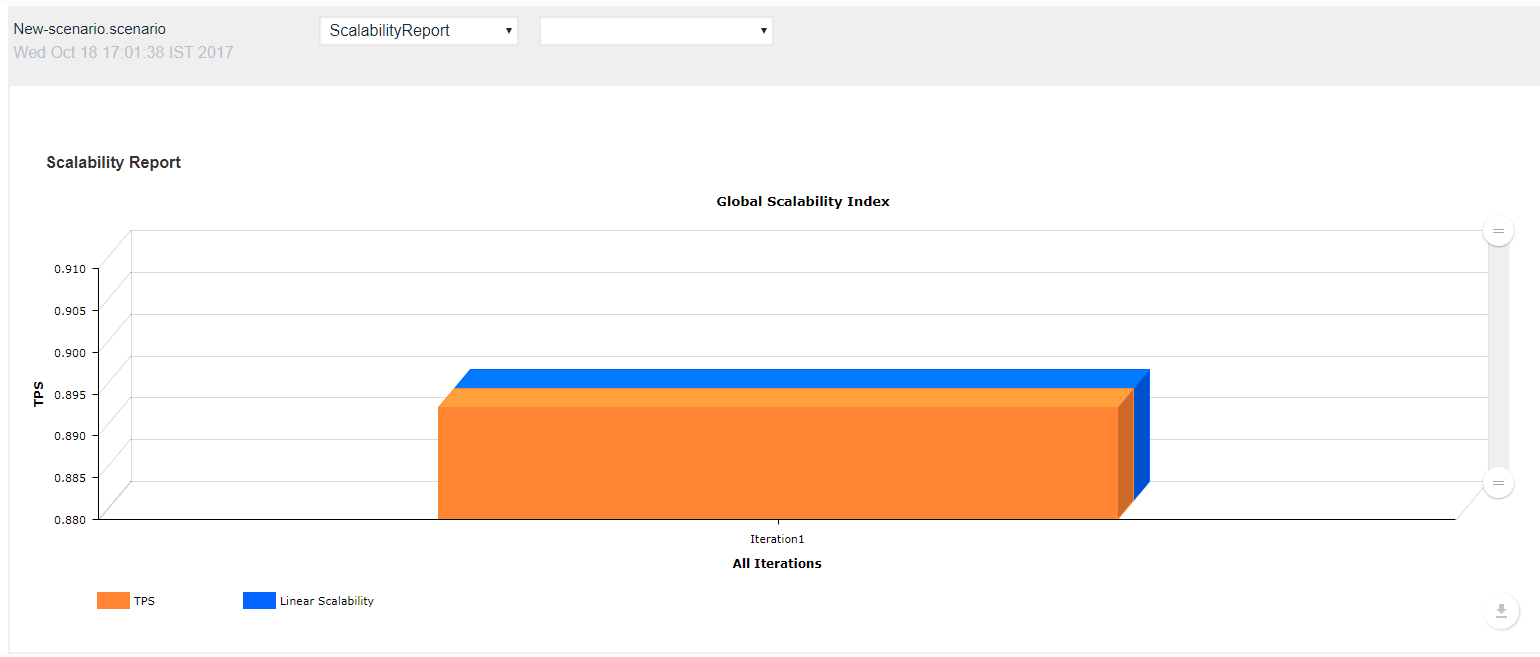
Seesample report from a recent execution to confirm the About Reports section for more detailed information on reporting in AIQ.
Last updated: JulySeptember 17,24, 20232026
If you have any feedback on this topic, please contact us at documentation@appvance.ai.