
Reset Password
Note: User passwords can only be reset when logged in as an Admin.
Login to Appvance IQ as an Admin and navigate to Global Options > Admin Options > User Management tab
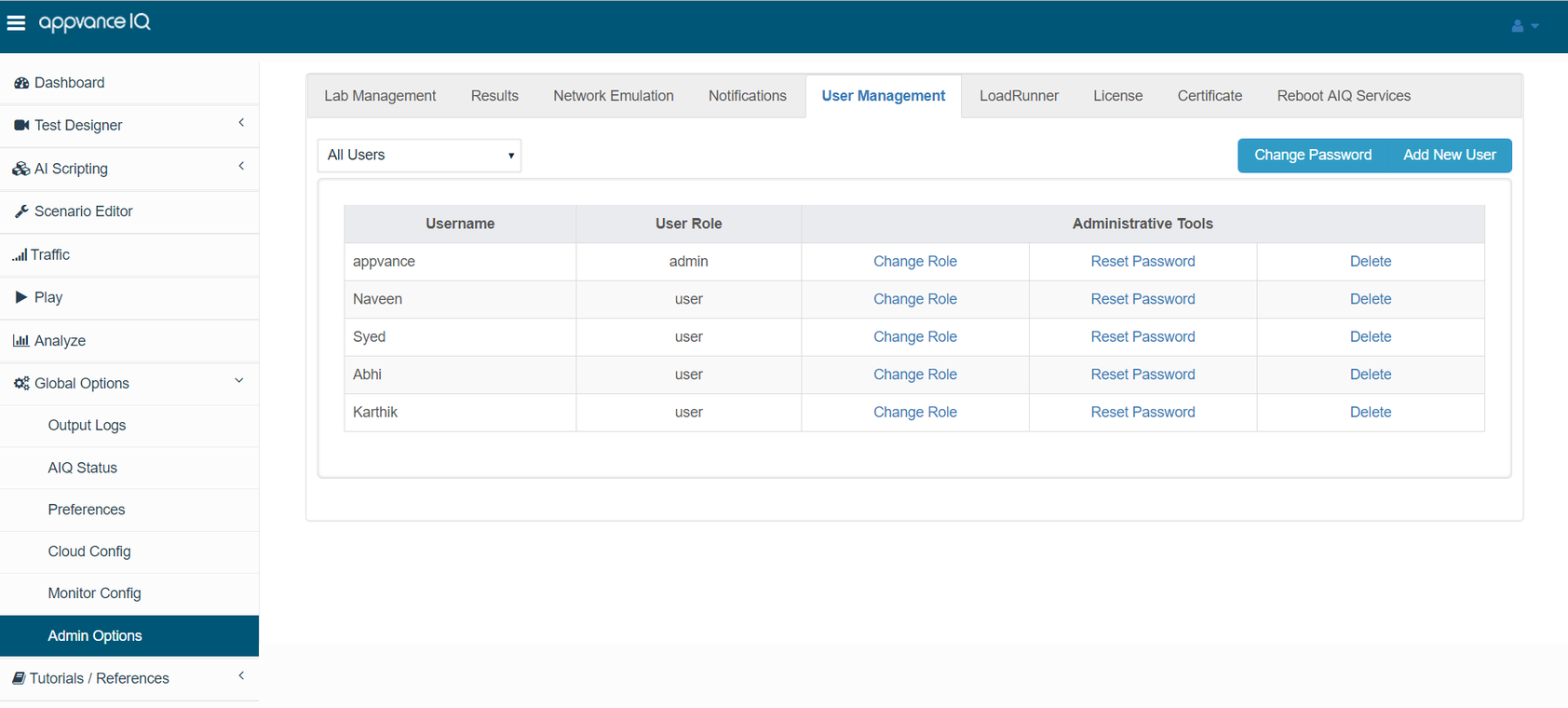
Under Administrative tools, look for the Reset Password link, every user will have this link.
Pick a user for whom the password has to be reset and click the Reset password link.
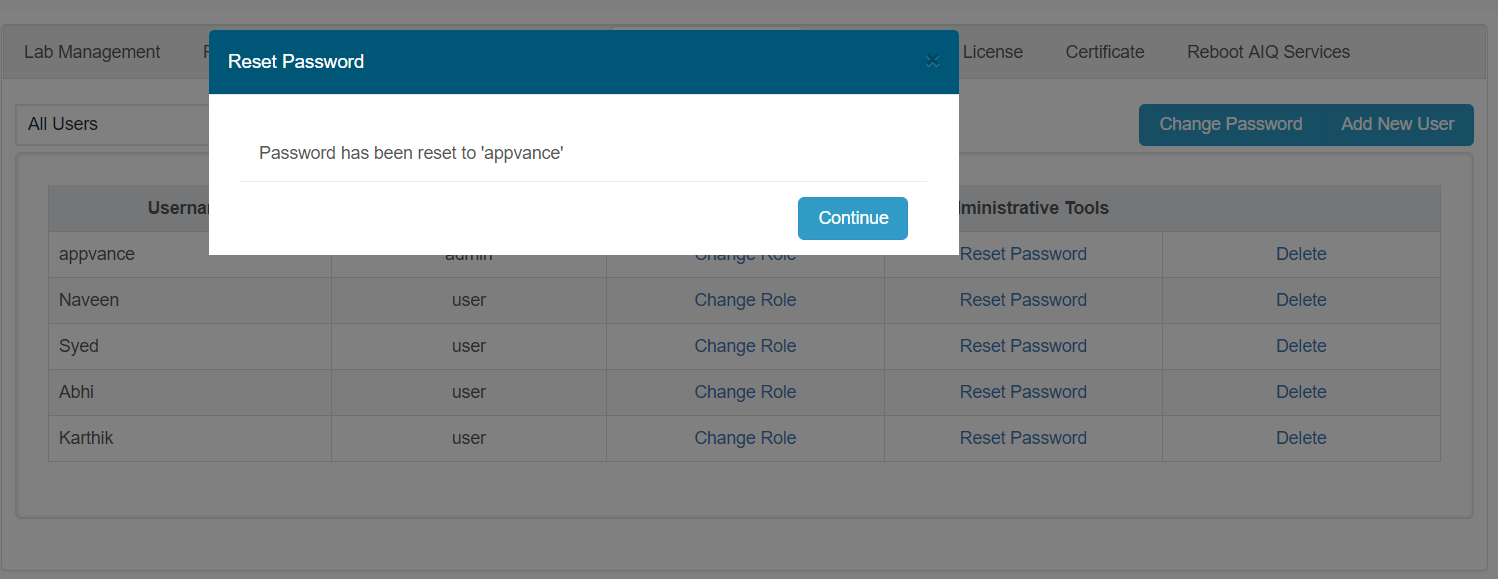
The password for the user would be reset to 'appvance' - The user can re-login with 'appvance' as the password.
Last updated: June 02, 2023
If you have any feedback on this topic, please contact us at documentation@appvance.ai