
Reset Password
Note: User passwords can only be reset when logged in as an Admin.
Login to Appvance IQ as an Admin and navigate to Global Options > Admin Options > User Management tab
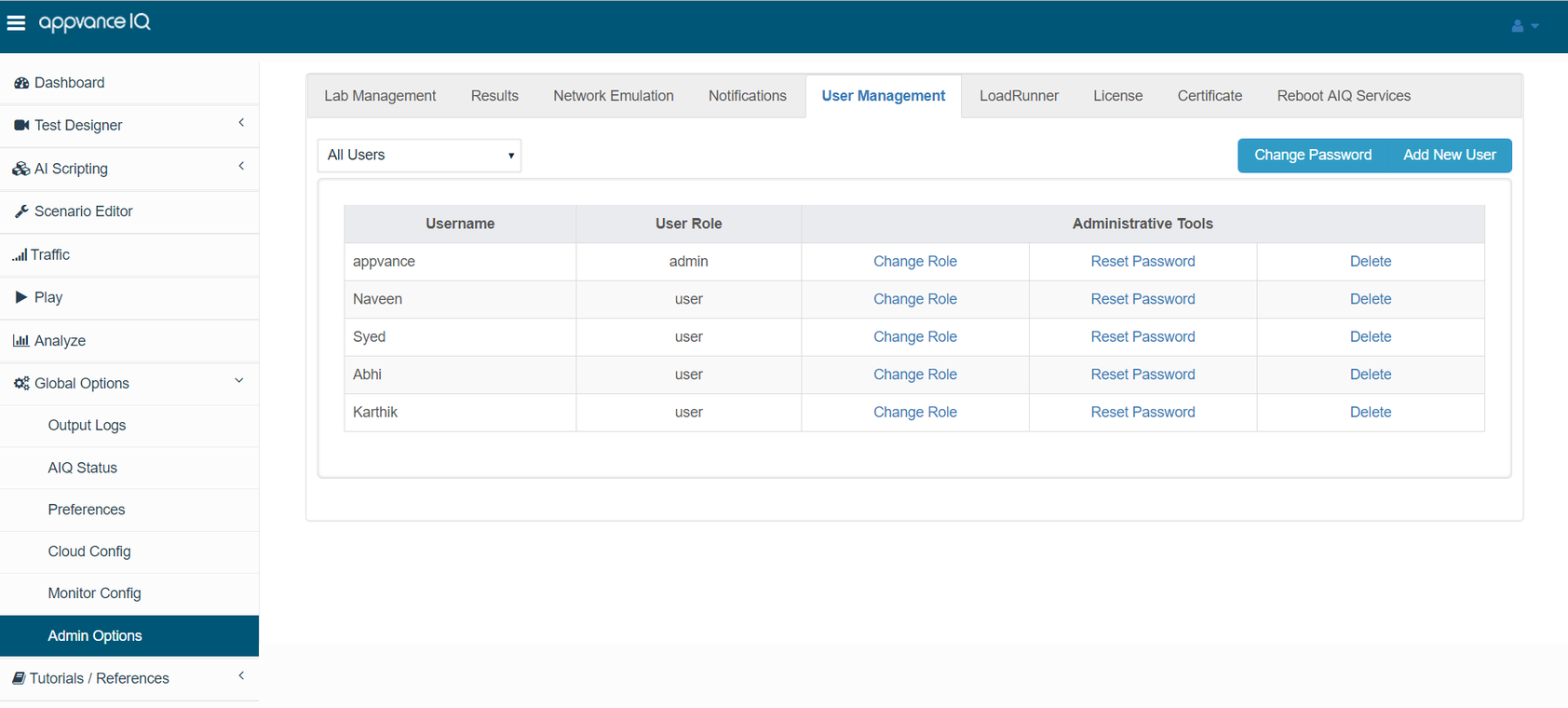
Under Administrative tools, look for the Reset Password link, every user will have this link.
Pick a user for whom the password has to be reset and click the Reset password link.
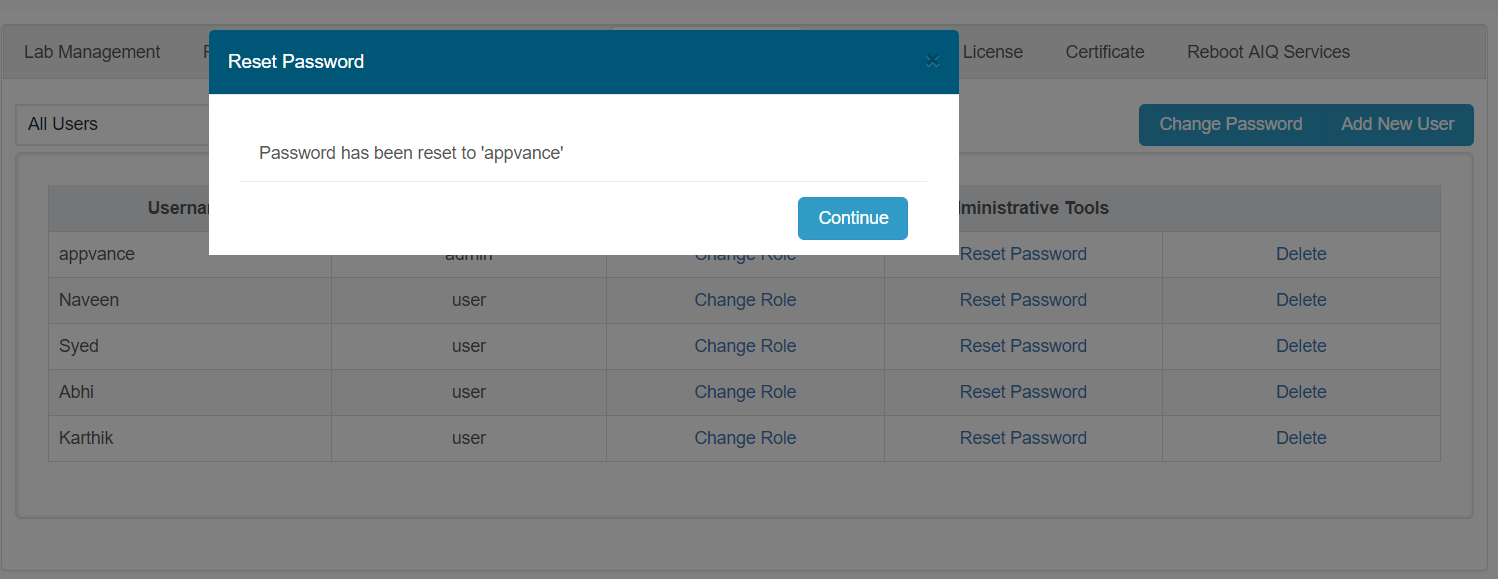
The password for the user would be reset to 'appvance' - The user can re-login with 'appvance' as the password.
Last updated: October 15, 2026
If you have any feedback on this topic, please contact us at documentation@appvance.ai
How to use these benefits
Use the same Selenium coverage as a functional baseline, then add data variation and workload controls when converting it to load or performance testing. Validate browser compatibility separately from throughput results, and review AIQ reports for actionable failures rather than treating a single aggregate score as proof of quality.