
Changing Roles
Login to Appvance IQ as an Admin and navigate to Options page > Preferences > Credentials and Click the ‘Edit’ button in the same row as the user whose information needs to be edited.
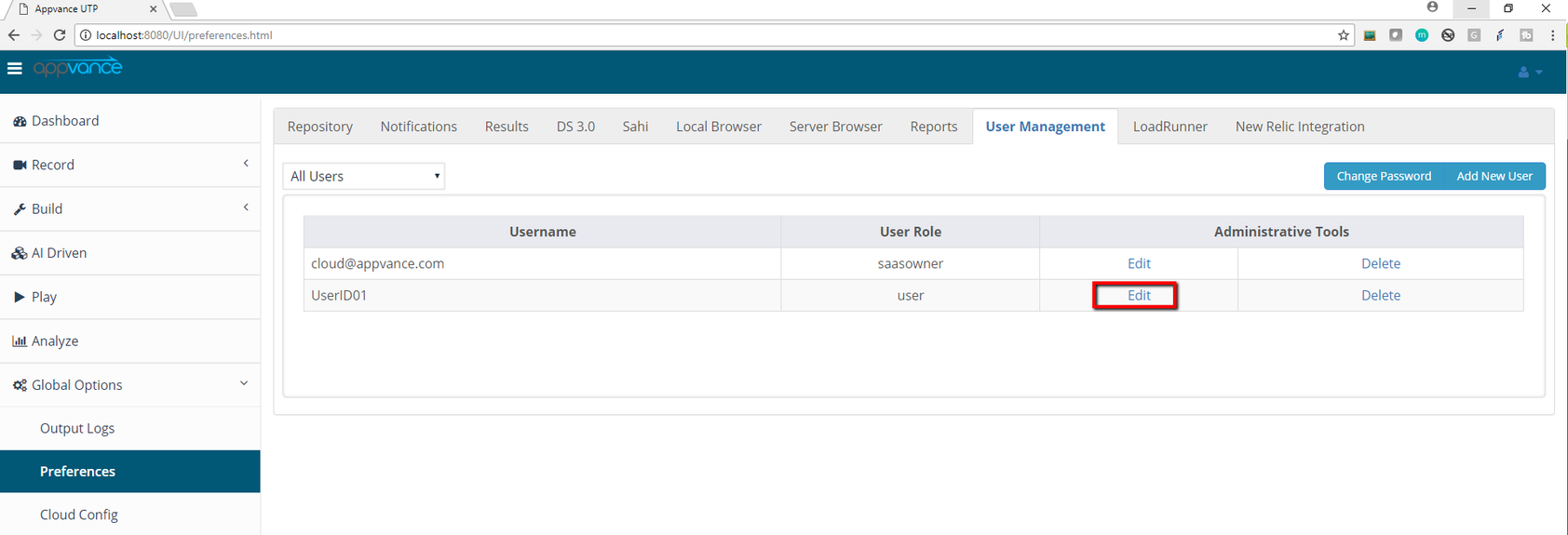
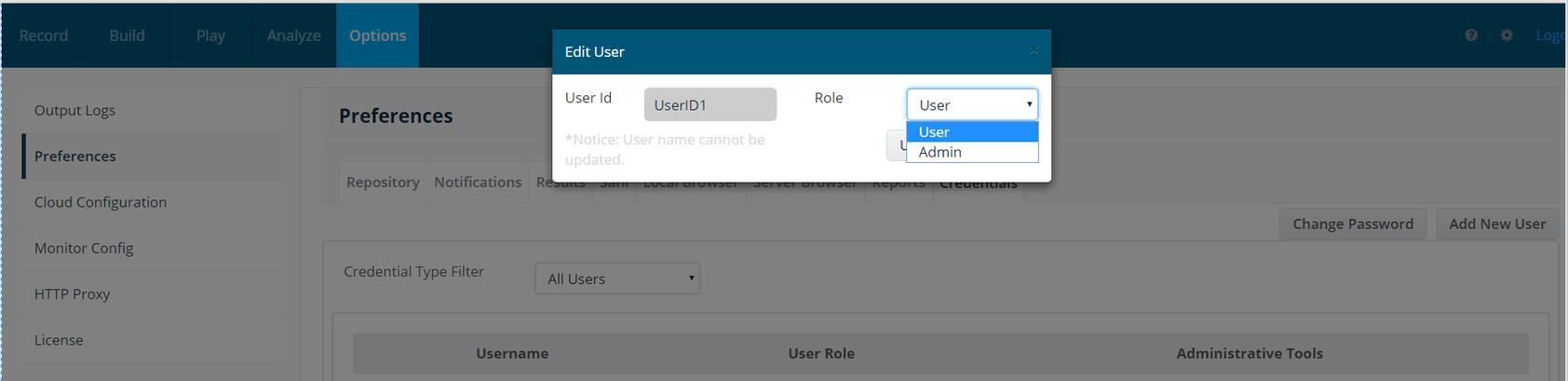
Clicking the edit link will open a pop-up with the UserID and the Role, Role can be changed by selecting the Role from the drop-down and clicking on the Update button (Can be done only by Admin and not Users).
Permission requirement
Only an administrator can change a user role. The edited user record exposes the UserID and role selector; verify the selected role before clicking Update.
Verification
After the update, reopen the user record or sign in with the affected account to confirm that the expected permissions are applied.
Last updated: October 15, 2026
If you have any feedback on this topic, please contact us at documentation@appvance.ai