
Creating First Jenkins Project
Creating your first project and configuring GIT Repo:
- Once downloaded and installed launch http://localhost:8080 (or with the changed port number) in your browser or log in to your Jenkins cloud
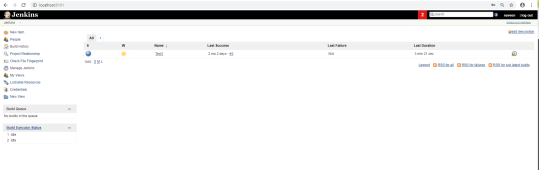
- Click on New Item from the left navigation
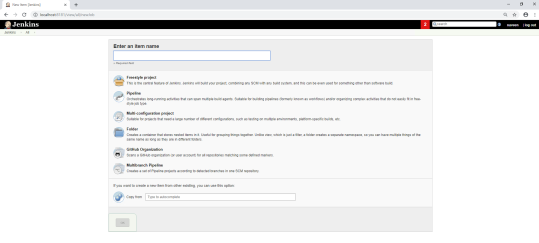
- Provide a valid Job name
- Select “Build a free-style software project”
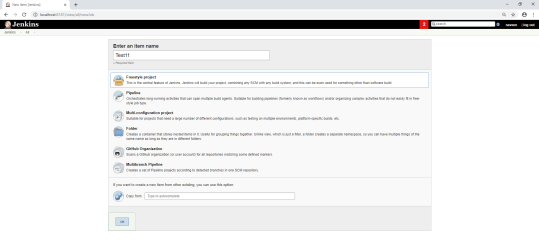
- Click on the OK button
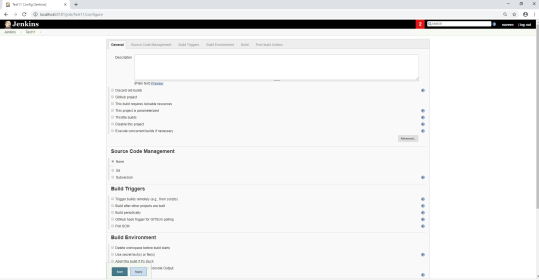
- Provide a description of the project

- Locate Source Code Management and choose Git, Provide the Repository URL with the credential details where all the above files reside and changes made
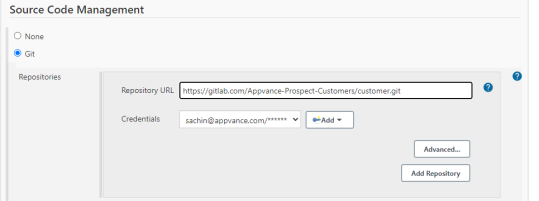
- Mention the branch details from the files that reside

- Build Environment - Check "Delete workspace before build starts", this will ensure the latest assets are uploading when running the Jenkins job
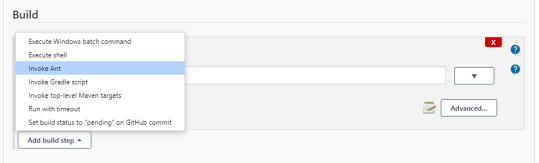
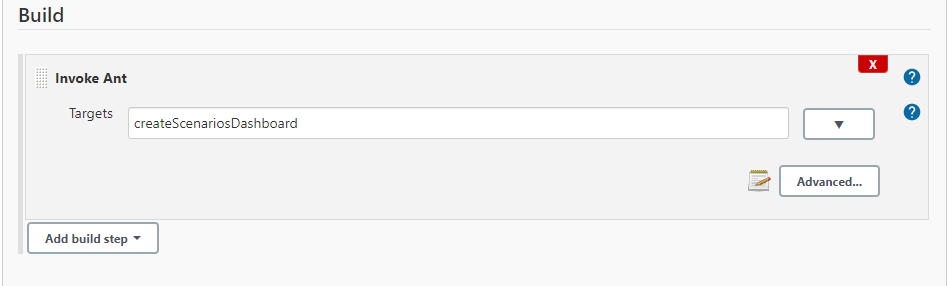
- Build - Add Build step > Invoke Ant and add the Ant Call as mentioned below
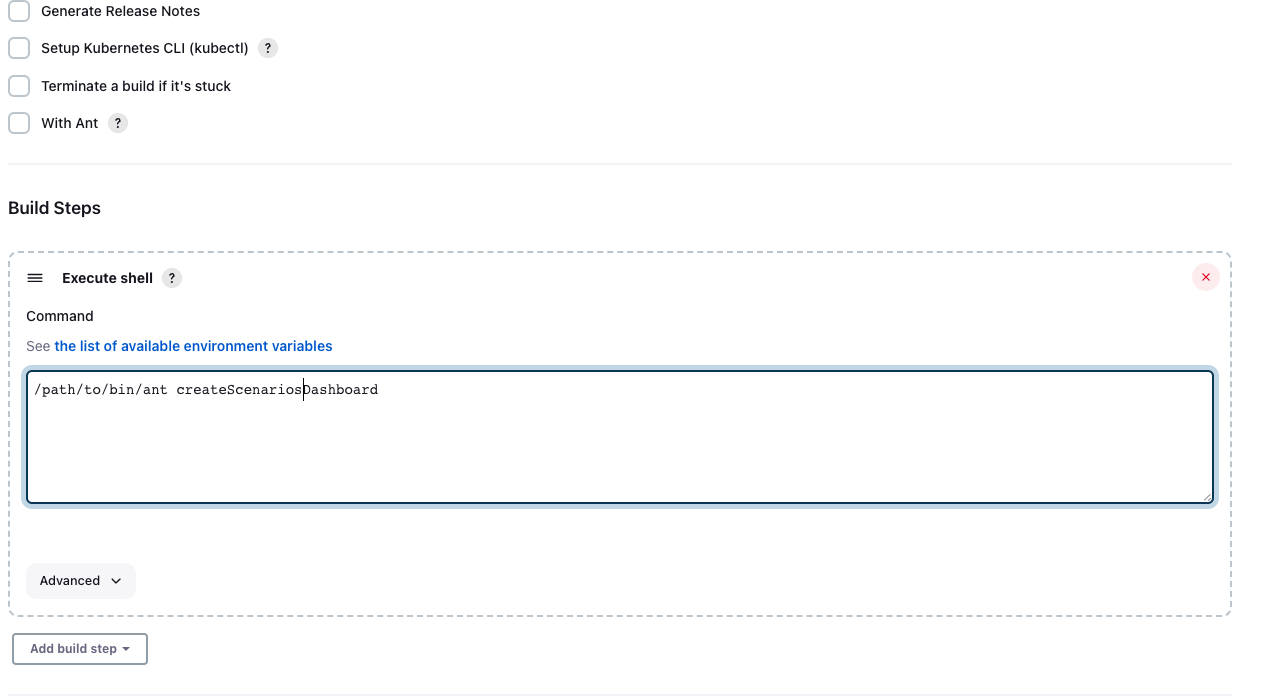
** If Ant is not configured in Jenkins but its installed on the Jenkins agent, the job still can be executed with the following command:
Last updated: October 15, 2026
If you have any feedback on this topic, please contact us at documentation@appvance.ai
Alert review workflow
Use the linked ZAP alert catalog to understand the alert name and risk category, then review the affected URL, evidence, confidence, and supporting request/response details in the AIQ result. Confirm findings in an approved environment before assigning remediation priority.
Creating your first project and configuring GIT Repo:
- Once downloaded and installed launch http://localhost:8080 (or with the changed port number) in your browser or log in to your Jenkins cloud
- Click on New Item from the left navigation
- Provide a valid Job name
- Select “Build a free-style software project”
- Click on the OK button
- Provide a description of the project
- Locate Source Code Management and choose Git, Provide the Repository URL with the credential details where all the above files reside and changes made
- Mention the branch details from the files that reside
- Build Environment - Check "Delete workspace before build starts", this will ensure the latest assets are uploading when running the Jenkins job
- Build - Add Build step > Invoke Ant and add the Ant Call as mentioned below
** If Ant is not configured in Jenkins but its installed on the Jenkins agent, the job still can be executed with the following command:
If you have any feedback on this topic, please contact us at documentation@appvance.ai
Alert review workflow
Use the linked ZAP alert catalog to understand the alert name and risk category, then review the affected URL, evidence, confidence, and supporting request/response details in the AIQ result. Confirm findings in an approved environment before assigning remediation priority.
Last updated: October 15, 2026