
Handle Validation Failures and Continue Scenario Execution
Problem
Last reviewed: September 30, 2026
AsUse this article when a user,Scenario IEditor wanttest toshould report on validations which fail, but I’d also like to use workaround steps if possible to move past the error when it occurs.
Resolution
Createrecord a validation whichfailure, alsocontinue includessafely, and leave clear evidence for review.
What changed in this article
- Rewrote the
stepsquestion-styletotitleovercomeintotheaissueclear Scenario Editor failure-handling task. - Added guidance on soft validation versus hard stop decisions, cleanup actions, screenshots/logs, and
move forward.Verification Snippetvar visibilityResult = isVisible(small(["Enter valid Date of Birth"])); if (visibilityResult){ setValue(textbox('DateofBirthMask'),'01011955'); }; assertFalse(visibilityResult);Explanation Check if something is visible
If it is visible, then proceed with workaround step(s)
Then return a verification failure if the item checking for was visible using assertFalse(visibilityResult);
Why is the assertion last?
As a user, you would like to check for the existence of an issue…
But before sending the result backevidence.
You would like to recover from the issue and work around it if possible.
This means you
First check for the existence of the issue,
And if it exists, handle the issue,
And only thencontinuing after it’s handled, return the failure status back to the script.
If the assertion were first,
Then the subsequent steps would be skipped, as a failure result would occur,
And the remaining steps wouldshould be skipped.
StepsValidation workflow
Option
- Decide
A: Example Using SmartTag Validations
SmartTag validations are triggered either pre- or post- interacting with associated SmartTag(s)
In this example, after an action against the svBtnAddToList SmartTag, the failIfValidEffectiveDateMsgExistsAndHandle validation triggers
SmartTag Validation Assignment

SmartTag Validation Post-Action Trigger
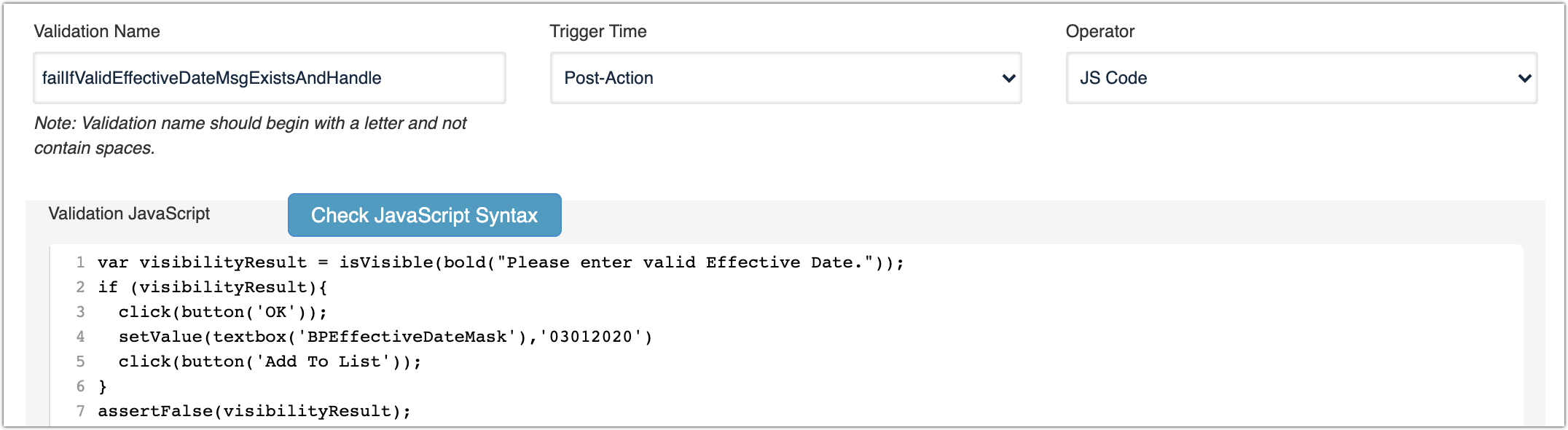
SmartTag Validation Usage
This SmartTag automatically triggers when a Test Designer IDE script, JS Edit & Play script or AISG uses the svBtnAddToList SmartTag.
JavaScriptclick(svBtnAddToList('Add To List'));
Test Designer IDE
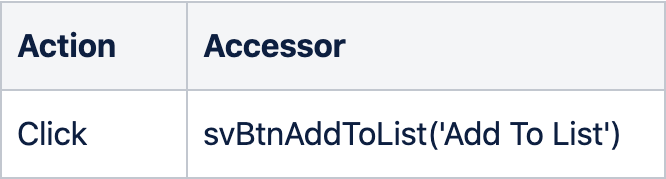
AISG

Option B: Example using Validation Workbench
Validation Configuration
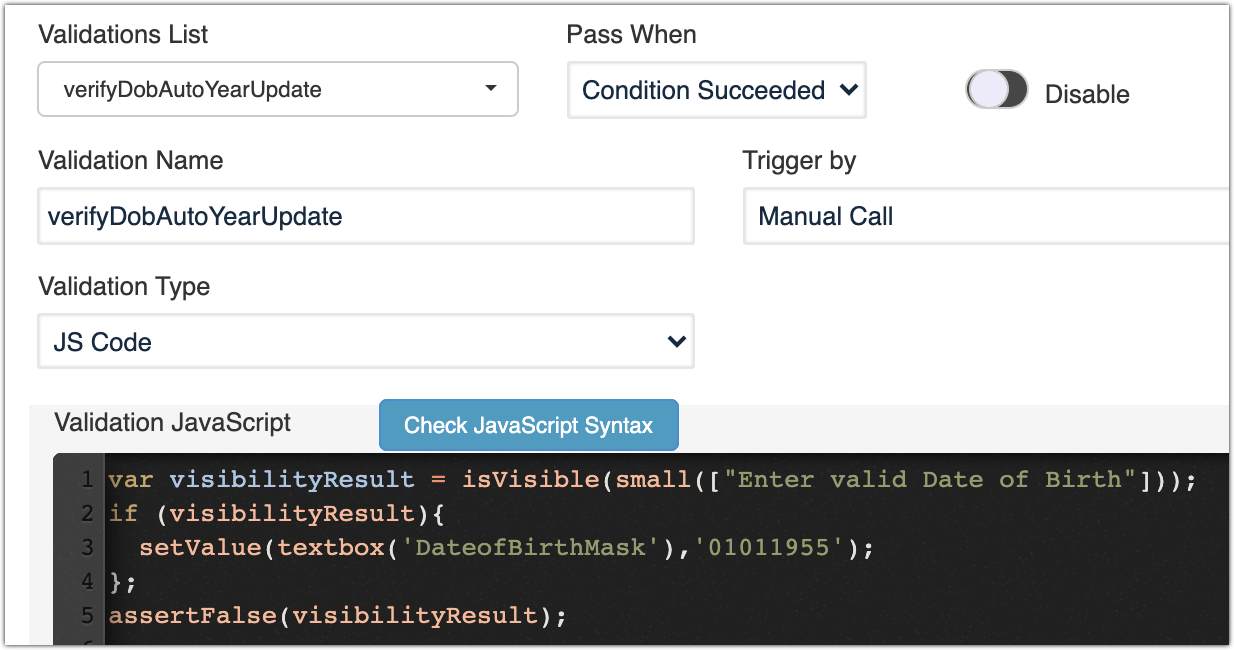
Validation Usage
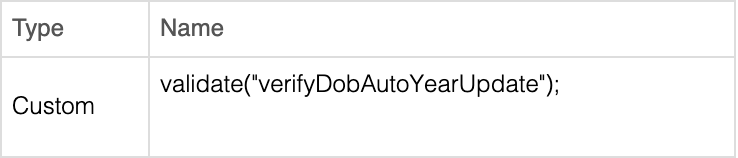
The Trigger by type in this example is a Manual Call, allowing you to callwhether the validation fromfailure is safe to continue past or should stop the scenario immediately.
Review note: This page now explains controlled continuation instead of simply usingbypassing Validate as follows:failures.
JavaScriptvalidate(“verifyDobAutoYearUpdate”);
Test Designer IDE
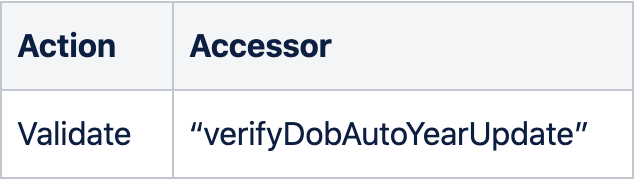
AISG
Last updated: AugustSeptember 25,30, 20232026
If you have any feedback on this topic, please contact us at documentation@appvance.ai.