
How can I validate and handle a failure in my app so my script can continue?
Problem
UseAs a user, I want to report on validations which fail, but I’d also like to use workaround steps if possible to move past the error when it occurs.
Resolution
Create a validation which also includes the steps to overcome the issue and move forward.
Verification Snippet
var visibilityResult = isVisible(small(["Enter valid Date of Birth"]));
if (visibilityResult){
  setValue(textbox('DateofBirthMask'),'01011955');
};
assertFalse(visibilityResult);
Explanation
Check if something is visible
If it is visible, then proceed with workaround step(s)
Then return a verification failure if the item checking for was visible using assertFalse(visibilityResult);
Many other asserts types exist. For a complete list, see Assert and Verify Functions.
Why is the assertion last?
As a user, you would like to check for the existence of an issue…
But before sending the result back (where the script or AISG will continue running)
You would like to recover from the issue and work around it if possible.
This means you
First check for the existence of the issue,
And if it exists, handle the issue,
And only then after it’s handled, return the failure status back to the script.
If the assertion were first,
Then the subsequent steps would be skipped, as a failure result would occur,
And the remaining steps would be skipped.
Steps
Option A: Example Using SmartTag Validations
SmartTag validations are triggered either pre- or post- interacting with associated SmartTag(s)
In this articleexample, after an action against the svBtnAddToList SmartTag, the failIfValidEffectiveDateMsgExistsAndHandle validation triggers
For additional information about SmartTag Validations see Validations in SmartTag Workbench.
SmartTag Validation Assignment

SmartTag Validation Post-Action Trigger
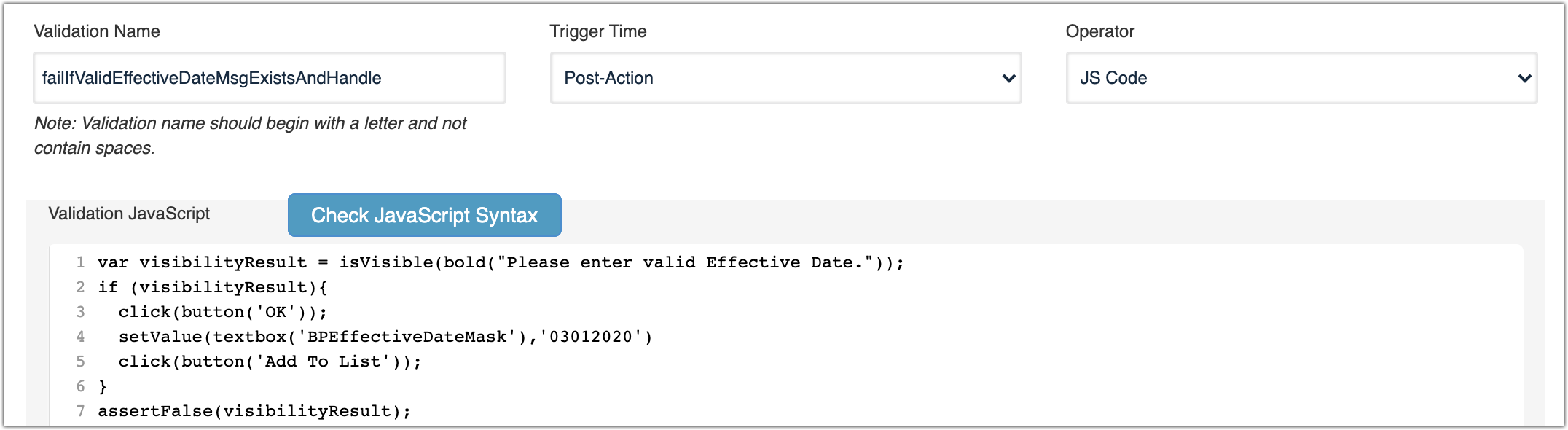
SmartTag Validation Usage
This SmartTag automatically triggers when a ScenarioTest EditorDesigner testIDE shouldscript, recordJS Edit & Play script or AISG uses the svBtnAddToList SmartTag.
JavaScriptclick(svBtnAddToList('Add To List'));
Test Designer IDE
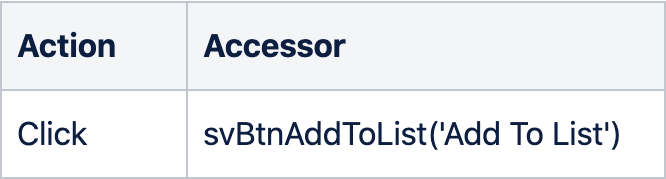
AISG

Option B: Example using Validation Workbench
Validation Configuration
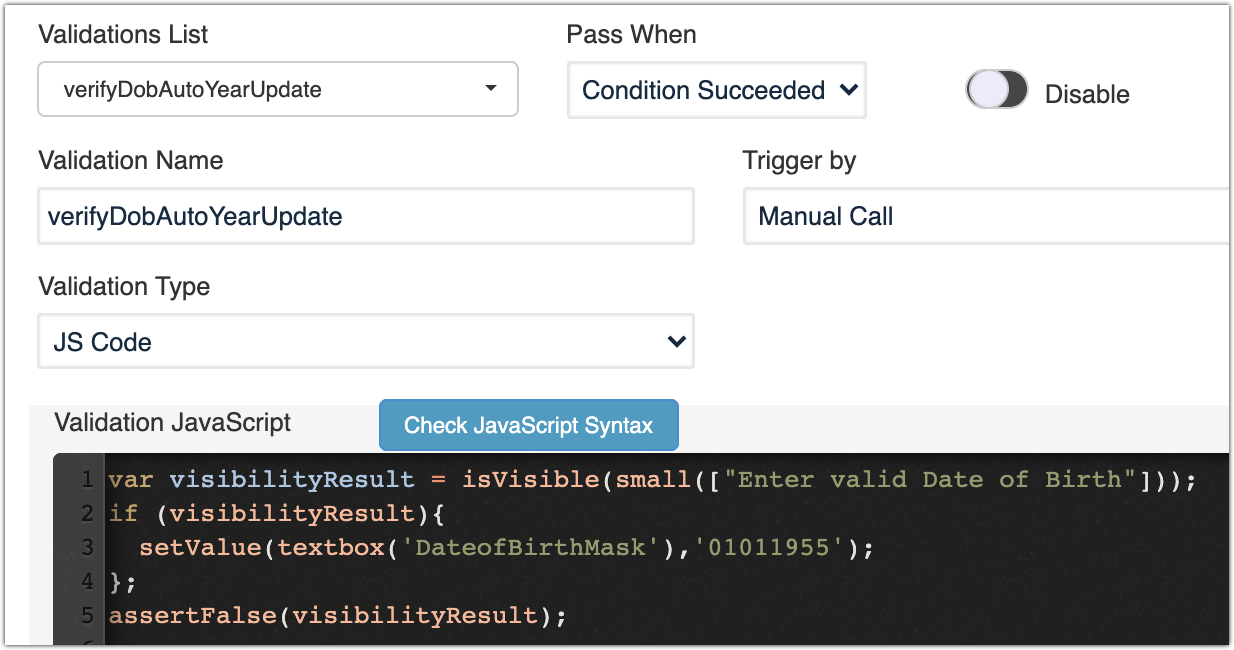
Validation Usage
The Trigger by type in this example is a validationManual failure,Call, continueallowing safely,you andto leave clear evidence for review.
Validation workflow
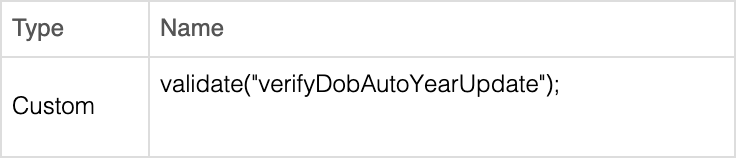
Decide whethercall the validationfailurefromisasafe to continue pastscript orshouldAISGstopsimplytheusingscenario immediately.Capture evidence suchValidate asmessagefollows:text,screenshot,-
outputJavaScript
validate(“verifyDobAutoYearUpdate”);log
Test responseDesigner payloadIDE
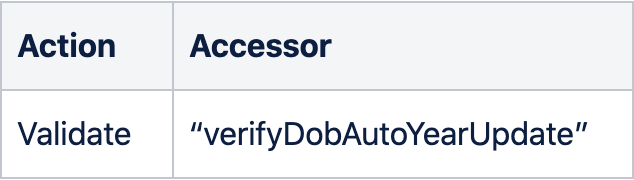
AISG
For doadditional notinformation dependabout ontriggers asee failed“Trigger state.By:” in Validation Workbench
Last updated: SeptemberAugust 30,25, 20262023
If you have any feedback on this topic, please contact us at documentation@appvance.ai