
How to access two different application at the same time in a single script.
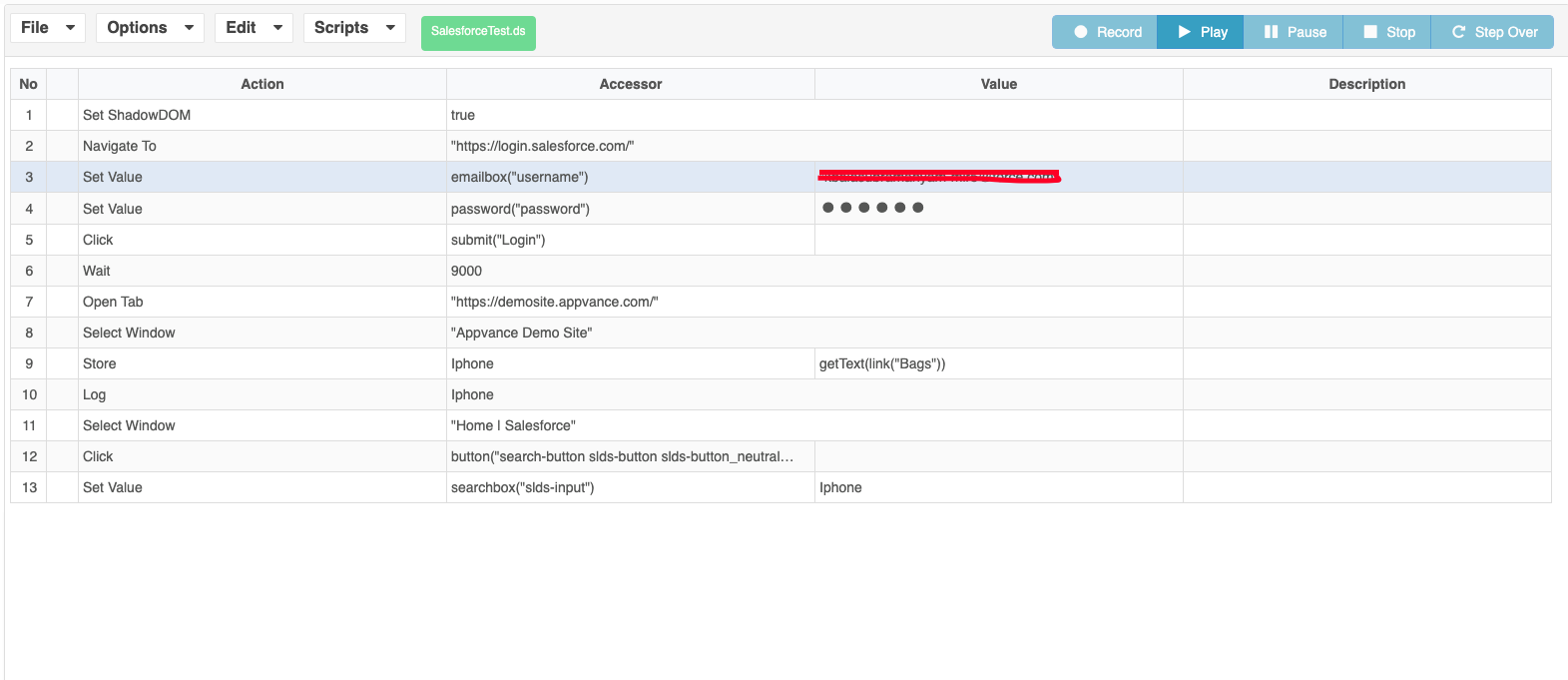
Navigate to any URL Eg: https://demosite.appvance.com/
Perform some steps
Add new action called “Open Tab” and add a URL “https://www.apple.com/ “
Store any value for any element on the page
Use Select Window action and go to 1st URL i.e https://demosite.appvance.com/
Click on the search text field icon on the Appvance Demo site app
Use the Variable on the text field which was stored in the Apple website
You will be able to search with the created variable in 2nd application
User can use Select Window to move Back and Forth in both the applications.
Last updated: June 01, 2023
If you have any feedback on this topic, please contact us at documentation@appvance.ai