
How to access two different application at the same time in a single script.
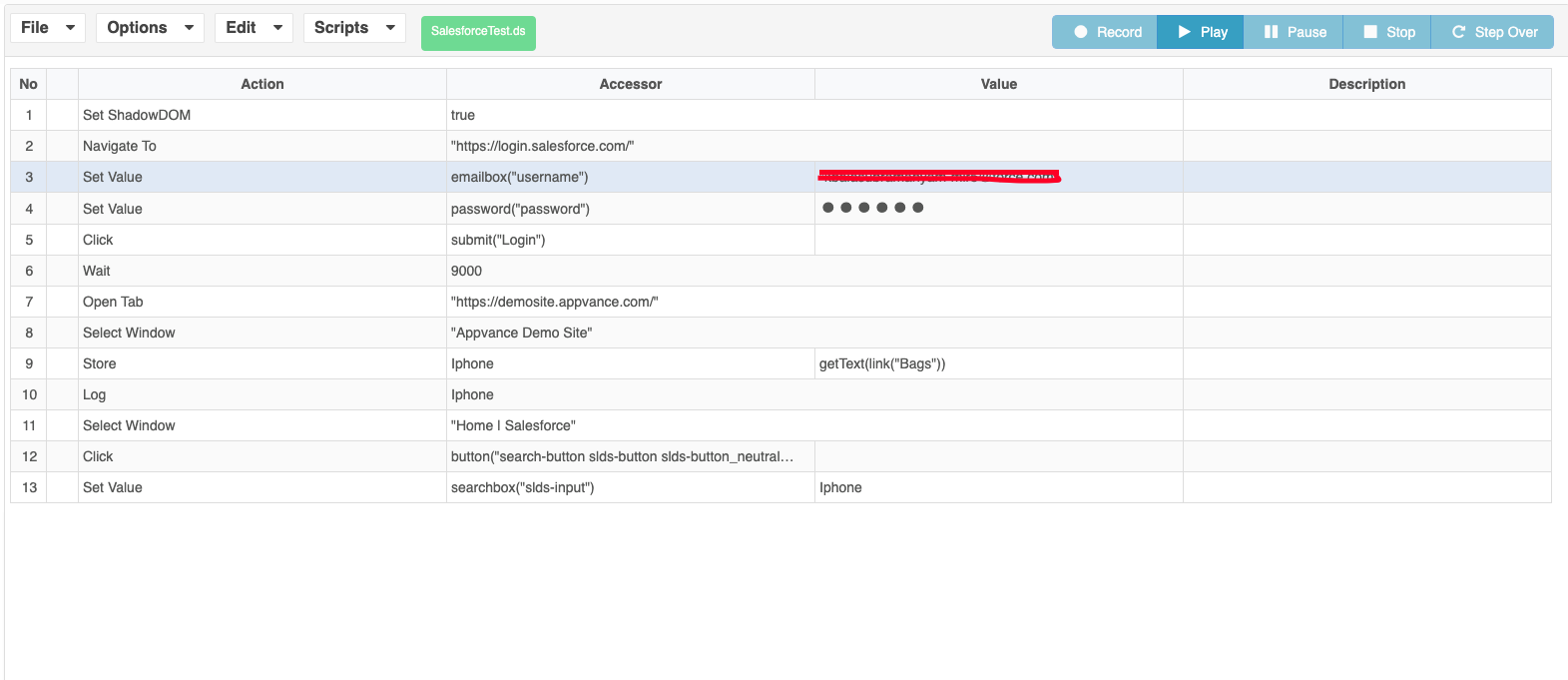
Window and variable handling
Open the second application in its own tab, store the required value before switching windows, and use the exact window-selection action supported by the script. Keep each application’s locators scoped to its active window; after switching back, verify the target page is ready before using the stored variable. This prevents a value from being applied to the wrong document.
Last updated: October 15, 2026
If you have any feedback on this topic, please contact us at documentation@appvance.ai