
Validate Toast Messages in Scenario Editor
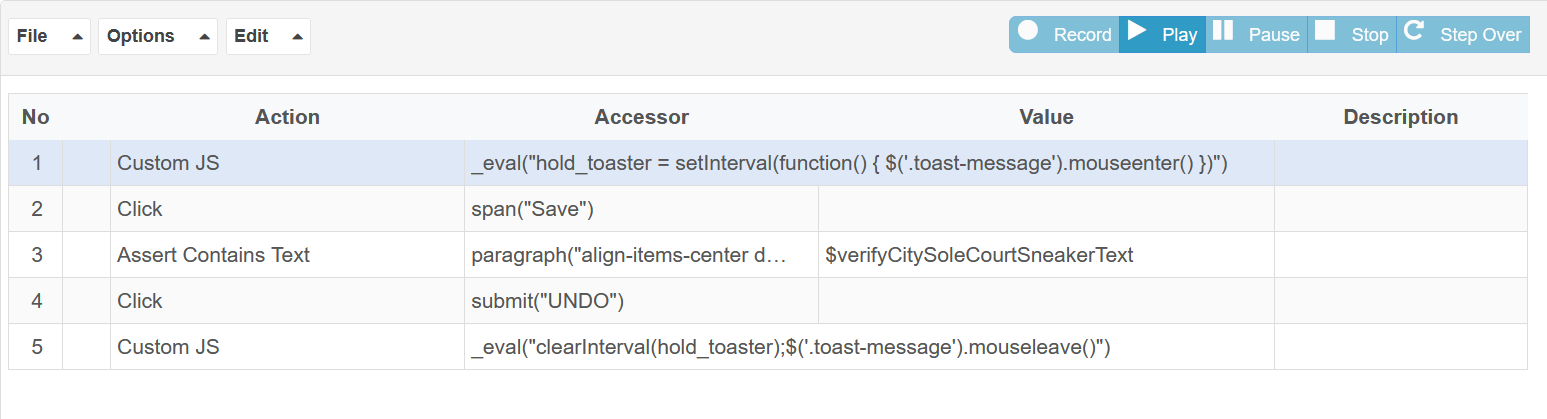
To hold toast message _eval("hold_toaster = setInterval(function() { $('.toast-message').mouseenter() })")
To free toast message _eval("clearInterval(hold_toaster);$('.toast-message').mouseleave()")
Note: “toast-message“ is a class name. If toast message is getting disappeared after click some element of toast message then no need to use a step to free toast message
If you have any feedback on this topic, please contact us at documentation@appvance.ai
Last updated: October 16, 2026