
Manage Multiple DPL Data Sources in Scenario Editor
We can add multiple DPL files in Test Designer IDE. Once the user adds one of the DPL files in Data tab User can still add other DPL files if any with the help of API that is already available for Hash DPL and JS DPL.
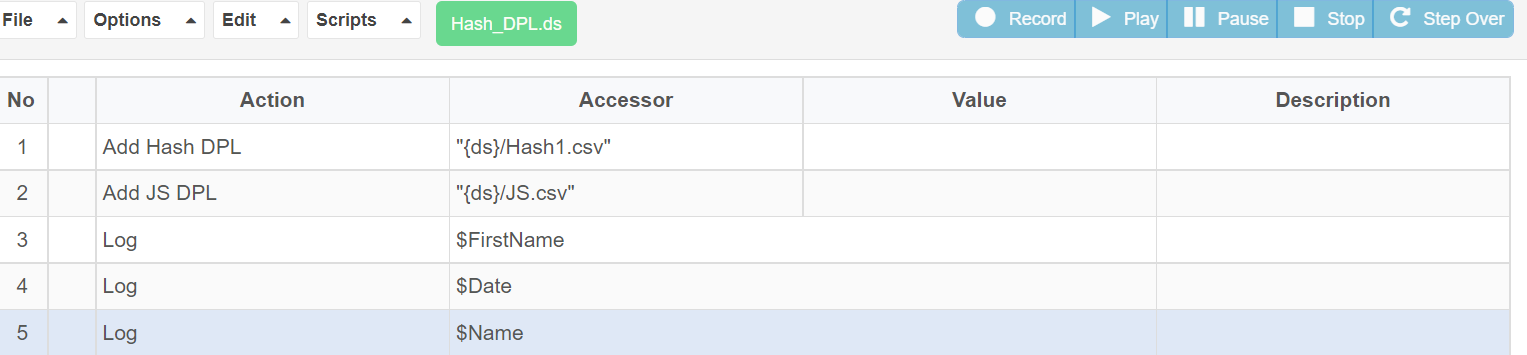
With the help of the above API called “Add Hash DPL” and “Add JS DPL”. User can add multiple DPL’s in the IDE.
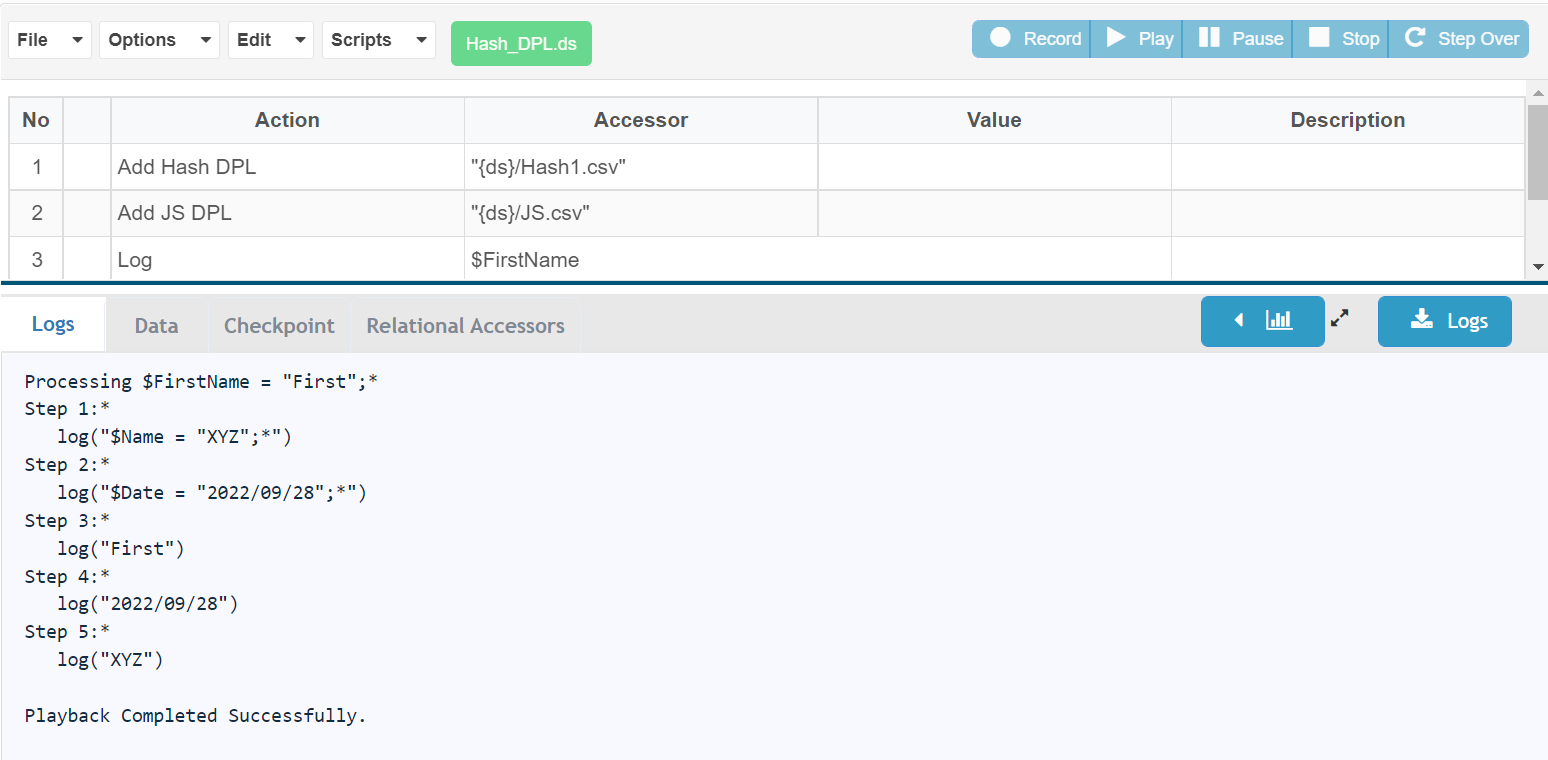
Below is the screenshot for the successful execution of the same
If you have any feedback on this topic, please contact us at documentation@appvance.ai
Last updated: October 16, 2026