
Link Jenkins Jobs for AIQ Workflows
How to create linking between different jobs or projects in Jenkins. For our learning purposes, we have created two small jobs named ‘Job 01’ and ‘Job 02’ in Jenkins server:
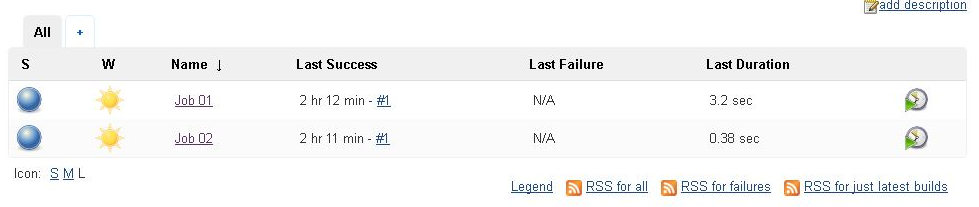
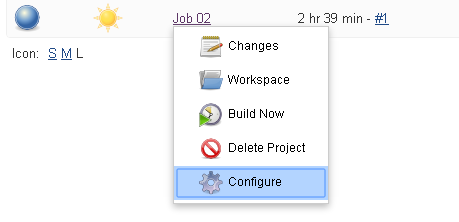
In order to this, let’s go to job 02 and select configure from dropdown:
Now go to ‘Build triggers’ and select ‘Build after other projects are built’. Under ‘Projects to Watch’ to select ‘job 01’:
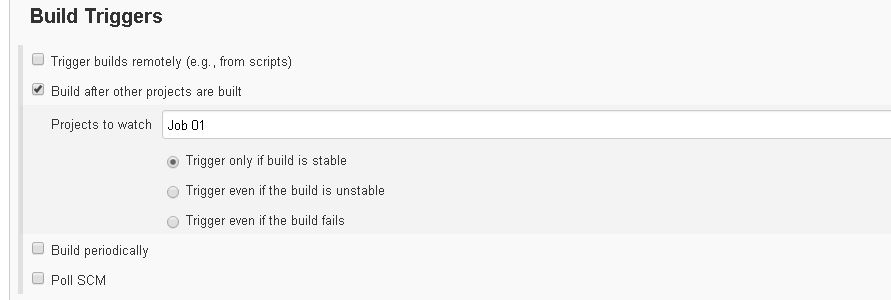
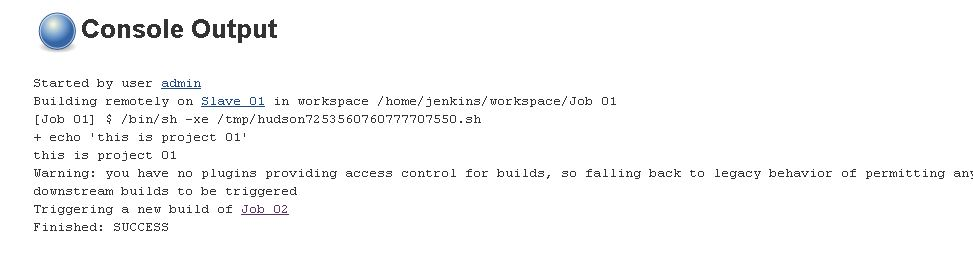
Let’s select ‘Trigger only if build is stable’ so that ‘Job 02’ is executed only when ‘Job 01’ is successfully completed. After this, select save and apply. Now when you build ‘Job 01’ and see the log output, it should be something like this:
If you have any feedback on this topic, please contact us at documentation@appvance.ai
Last updated: October 16, 2026