
Troubleshoot Jenkins Out-of-Memory Failures
Typically default Jenkins setup has a low setup amount of heap memory space (256Mb). This is good enough for medium size scenarios, but bulk scenarios needing to upload a lot of files for the scenario execution might fail with an OutOfMemoryError: Java heap space error similar to
C:\ProgramData\Jenkins\.jenkins\workspace\Smoke\Smoke.xml:221: java.lang.OutOfMemoryError: Java heap space
	at java.base/java.util.Arrays.copyOf(Arrays.java:3745)
In this cases you need to increase the default Java heap memory available to Jenkins server.
To do that please follow following steps if your Jenkins server is Windows. Similar steps needs to be done in case of Jenkins using linux.
- Log into your Jenkins server via RDP or SSH if it is ubuntu. You will need credentials for this.
- Locate the file jenkins.xml file. Location may vary depending of operating system. In case of windows can find it normally at C:\Program Files\Jenkins.
- Edit the jenkins.xml file in a test editor to increase the value of the -Xmx java parameter from
-Xmx256m to -Xmx2048m or more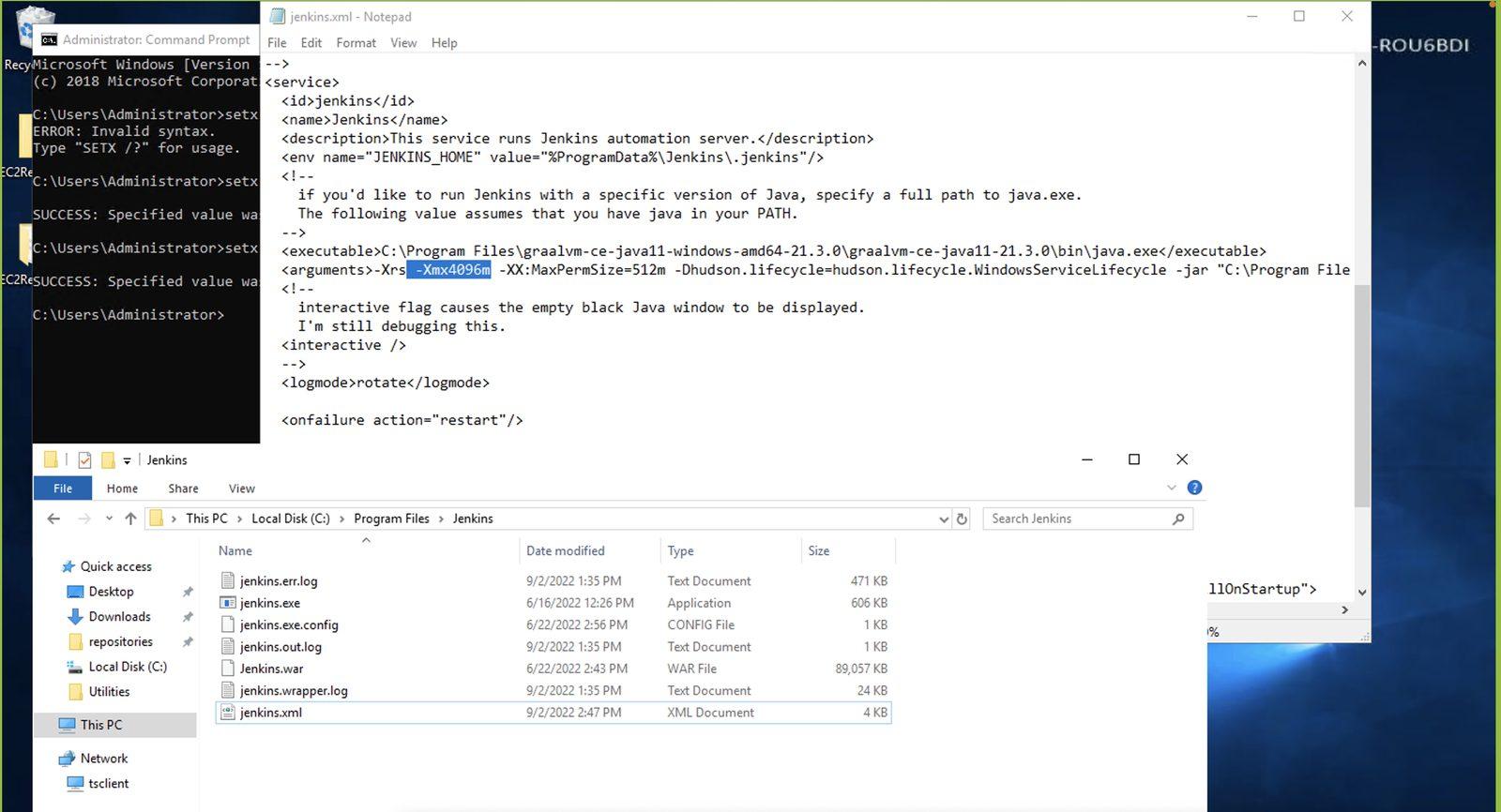
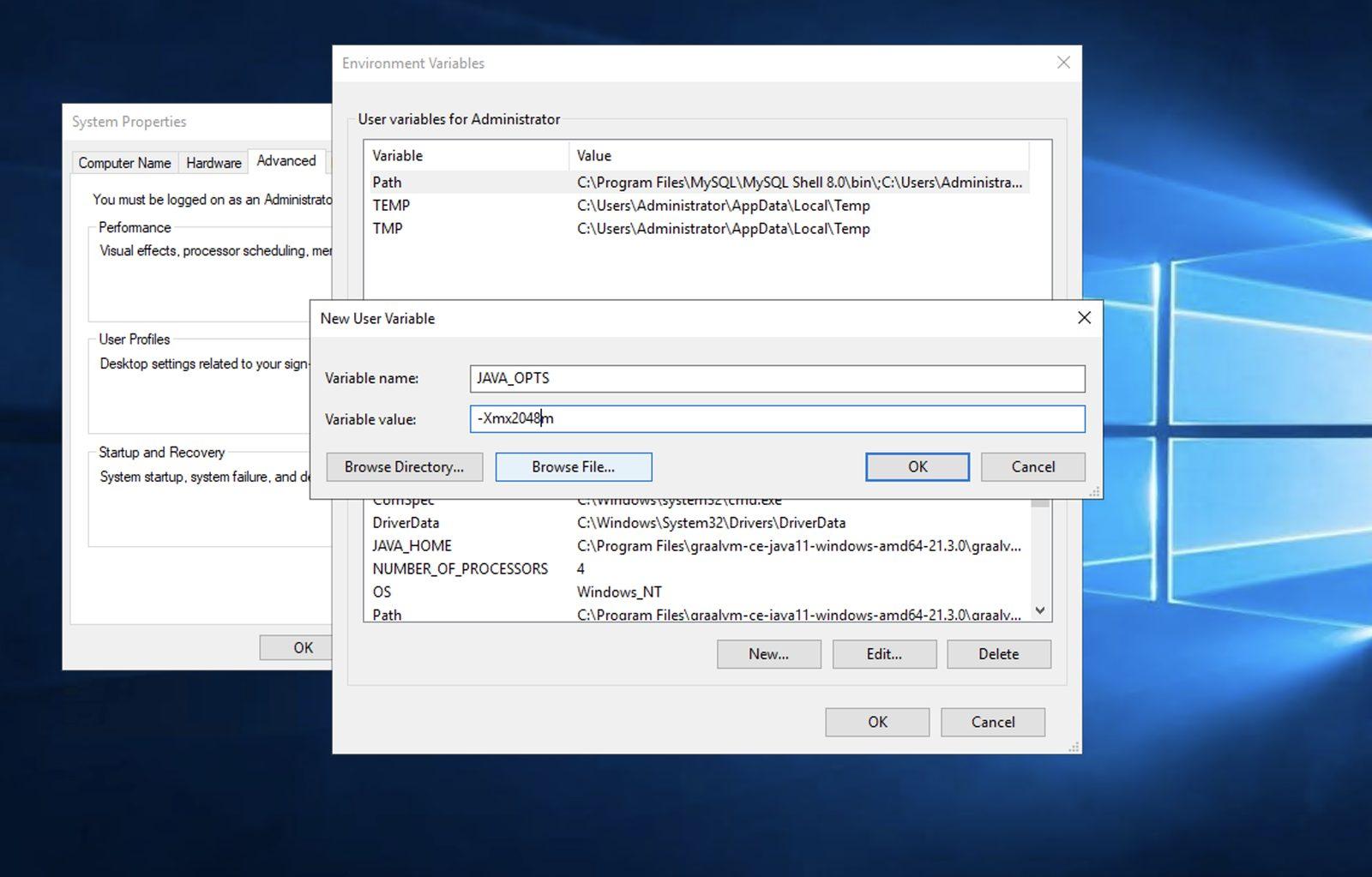
- Add a environment variable with JAVA_OPTS name and value -Xmx2048Mb
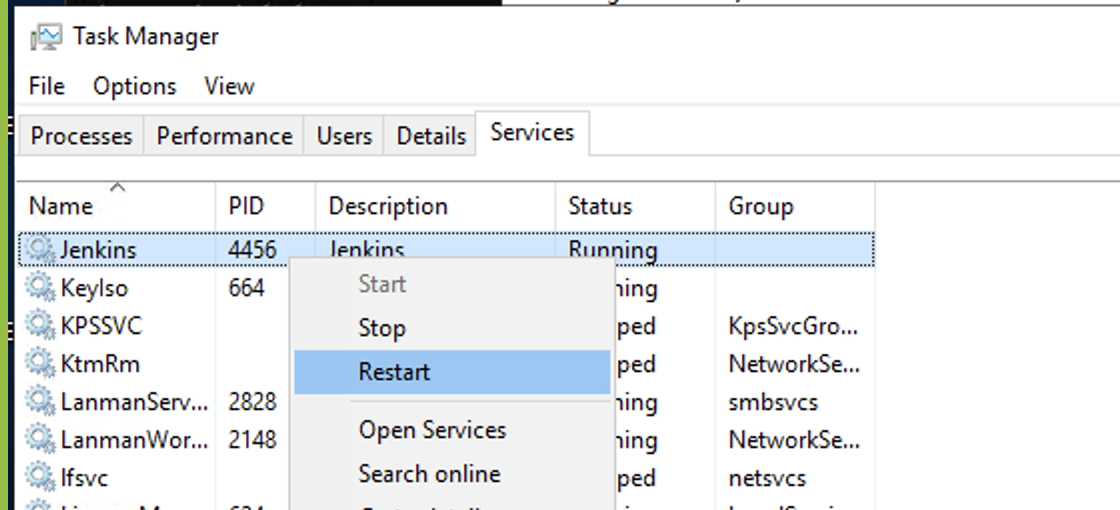
- Open the TaskManager app and select Services Tab. Select java.exe for Jenkins process and stop it and restart it.
If you have any feedback on this topic, please contact us at documentation@appvance.ai
Last updated: October 16, 2026