
Troubleshoot Database Password Expiration
My local machine's SQL password got expired and I did change it from Workbench, but AIQ still thinks that it is not changed, I tried restarting both AIQ and MYSQL services, but no luck.
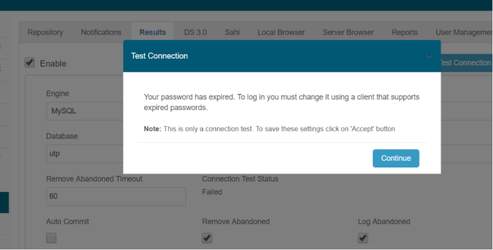
In order to reactivate the instance, You must go to the prompt or MYSQL Workbench and execute the below.
mysql -u<user> -p<password> --connect-expired-password
then
ALTER USER 'root'@'localhost' PASSWORD EXPIRE NEVER;
and
ALTER USER 'utp'@'localhost' PASSWORD EXPIRE NEVER;
inmy.inmy.cnf
It would be necessary to replace
[mysqld]
default_password_lifetime = 180
to
[mysqld]
default_password_lifetime = 0
or
issuingSETissuingSET GLOBAL default_password_lifetime = 0;
when you are logged in as root in mysql tool, this would set this param for all the schema.
Last updated: June 26, 2023
If you have any feedback on this topic, please contact us at documentation@appvance.ai
Last updated: October 16, 2026