
Checking if a machine is ready to run Appvance IQ
Use the following information to determine the status of system requirements for running Appvance AIQ on your machine
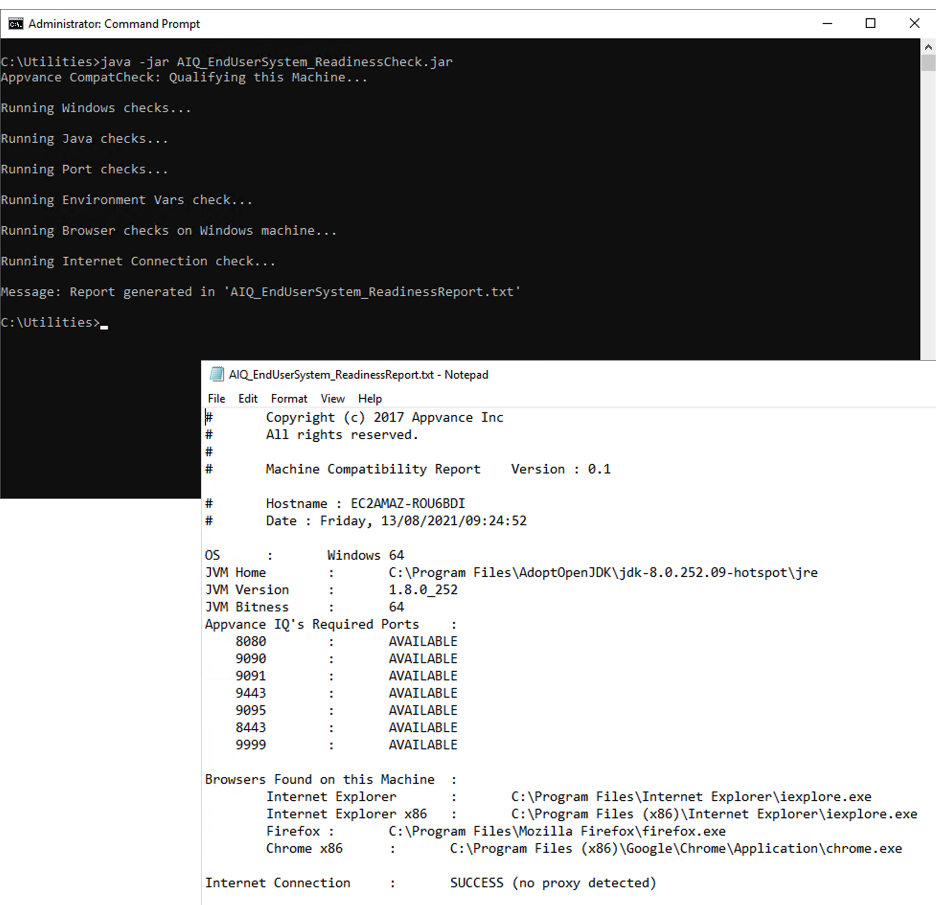
The Readiness Check utility requires a few details about the systems where you plan to run Appvance IQ. Upon execution, the utility gathers specific hardware and software details about your machine(s) and generates a compatibility report indicating any missing Appvance IQ prerequisites.
Steps
Sample Output
Last updated: October 25, 2023
If you have any feedback on this topic, please contact us at documentation@appvance.ai