
CICD - Repository Alone
This guide shows CI/CD Integration without the use of any cloud services like S3 buckets to store the results and create the dashboard.
You can configure the repository to store test assets, the same Repository (Which could be any flavors of GIT or SVN) can be used to store all the test results and create dashboards.
Below are the steps that need to be followed.
- Configure repository in AIQ under preferences > Repository. Please visit the Repository chapter to know more about how to configure repositories using HTTP or SSH
- Below is the required folder structure and files
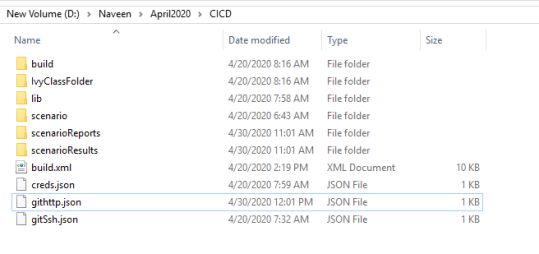
- lib will hold the Restclient.jar file.
- The scenario folder holds all the scenario files that are required to be run.
- scenarioReports and scenarioResults are the files that are required to store the results that will be uploaded to the git repo that is configured
- build.xml is the file that holds all the configuration details and the ant targets
- creds.json file holds the server details and login details of AIQ
- githttp.json file holds details of git repo to use along with HTTP credentials and branch details.
- gitSsh.json file holds details of the git repo, the URL, ssh credentials, and the branch details.
- Configure build.xml with buildversion to use, specify product, specify customer name, specify an environment, specify dir, and the scenario file to use
If the AISG is going to be run, make changes accordingly and point to the abpt file from the freshly run AISG - creds.json - provide the URL of AIQ services running, provide credentials of AIQ
- Depending on SSH or HTTP, provide the details of the Repo, credentials, branch, sshPhrase, and sshKey in either githttp.json or gitSsh.json
Note: Depending on which file is being used, make the reference of that file in build.xml for the below-mentioned property
<property name="gitCredentials" value="githttp.json" />
Once all the changes are made and saved
Open command prompt of if this is driven from any CICD tools, run "blueprintDashboard" for creating dashboard report and "scenarioDashboard" for creating scenario dashboards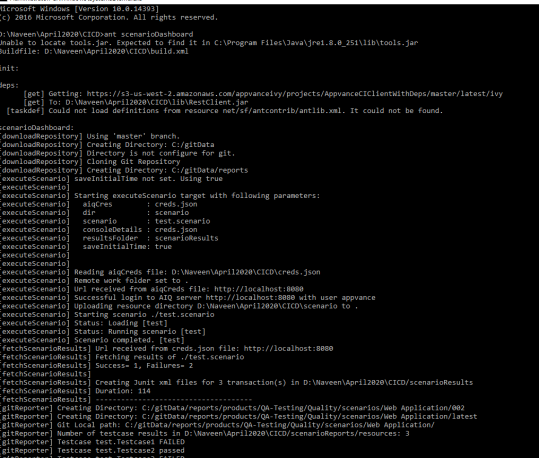
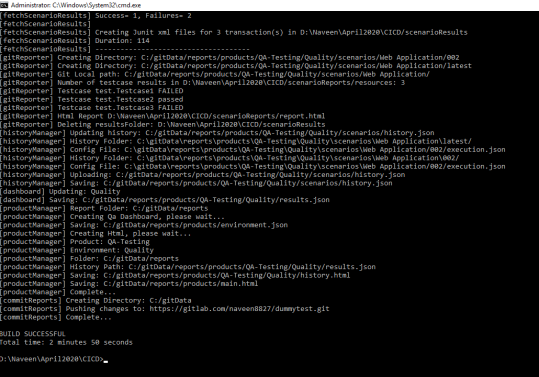
- Once the build is successfully run, go to AIQ > Preferences > Repository
- Click Explore Repository
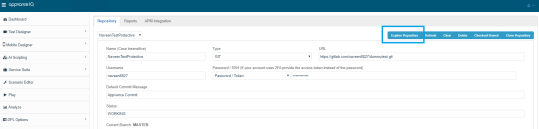
- Look for the folder called reports
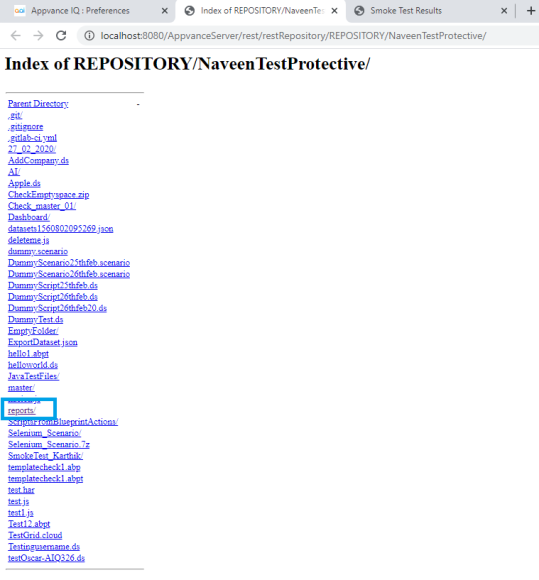
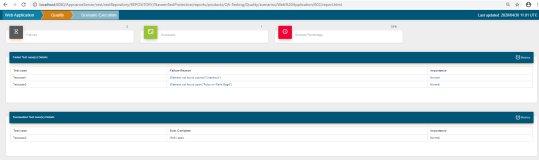
- Click Reports> Products > main.html to have the dashboards created
Last updated: October 16, 2026
If you have any feedback on this topic, please contact us at documentation@appvance.ai