
The PAAS Interface
Appvance IQ is an automation framework with a distributed test environment to test services for functionality, scalability, and performance. The AIQ Console sends required information to specialized and optimized TestNodes (located on several computers), runs the tests, and sends results back to the Console. The Console processes the results to create statistics files, charts, and reports. A simplified workflow of AIQ.
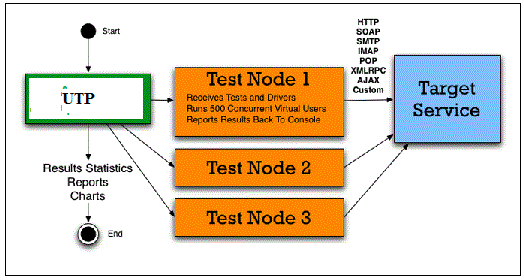
Appvance IQ enables the Console to receive soap-based Web service requests to operate a Test Scenario. AIQ has been upgraded to allow any application using a connector class to connect to the Console and run a test, with Appvance As A Service. The upgraded work-flow of AIQ;
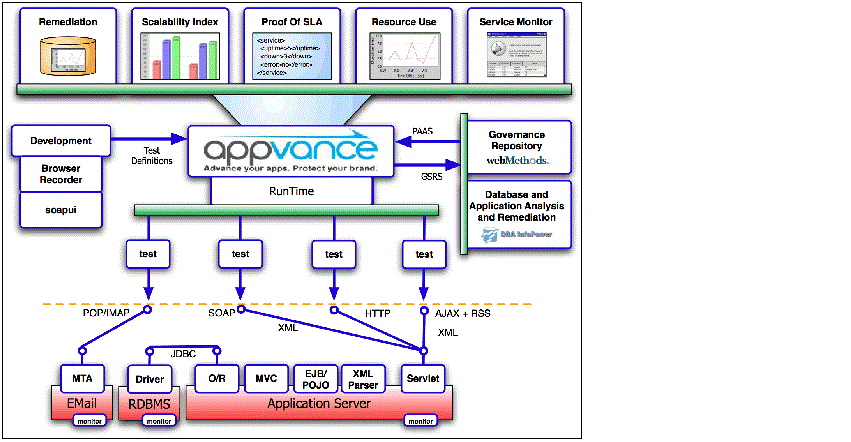
Modify the TestNodes to Allow Them to Operate Multiple Tests Concurrently.
In previous versions of the Appvance IQ TestNetwork architecture, TestNodes could receive instructions from only one Console. The new Appvance IQ architecture allows TestNodes to receive instructions from multiple applications (Consoles), which have been checked for availability, stability, and confidentiality.
- Availability means a scenario can access all of its resources
To accomplish this, each scenario is given a unique ID in the form of ID_ plus an ID number. Using the ID as its name, a directory (the application's root directory) is created and contains all the resources of each test - Stability means any process can not affect any other process.
To accomplish this, each monitor is run as an isolated thread with its own variable and ClassLoader, used to load the new required jar resources for a JAVA test - Confidentiality means any scenario can not access any other scenario's data.
To accomplish this, each scenario only knows its own root directory
Develop a Class that Becomes a Service
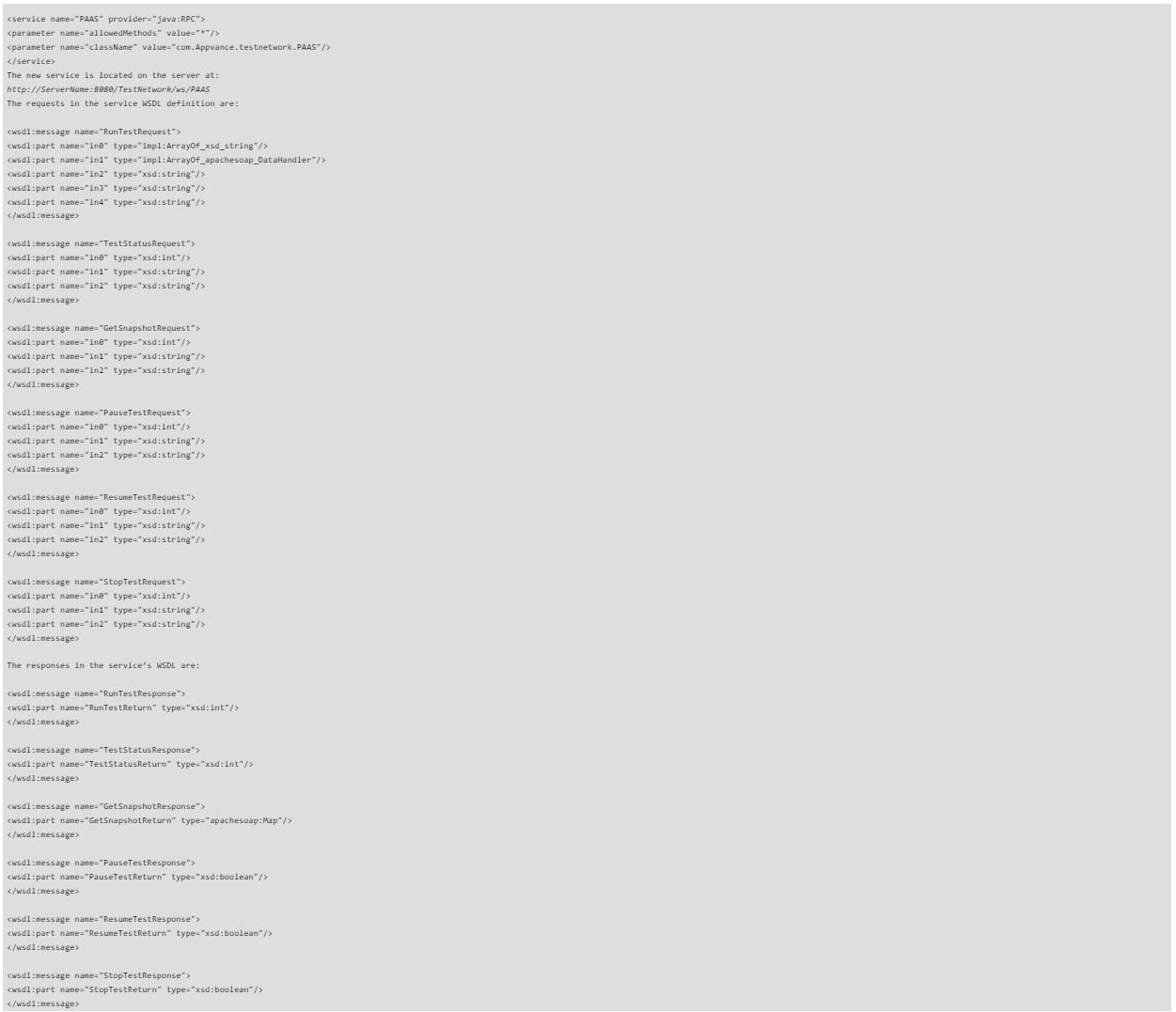
- The goal was to create a new class and use Apache Axis to turn it into a Web Service. This involved two tasks, compiling the new class and configuring tomcat to accept the new service
- The new class needed to be simple, yet functional and complete as described in Classes
Classes
Configuring Axis to accept the new class as a new service was surprisingly easy; simply add a new service tag to the Axis configuration file (server-config.wsdd)
Develop a Class to Connect to PAAS
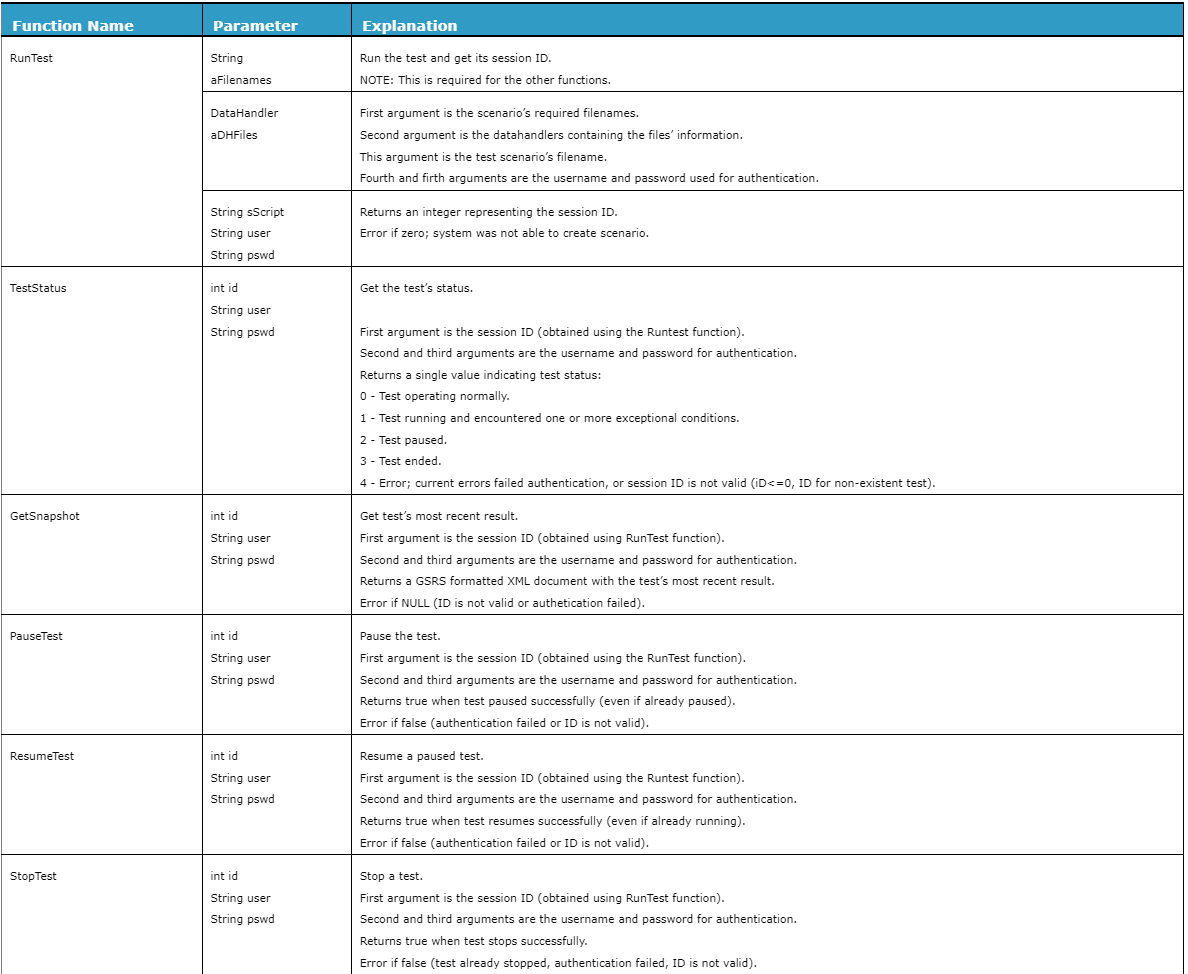
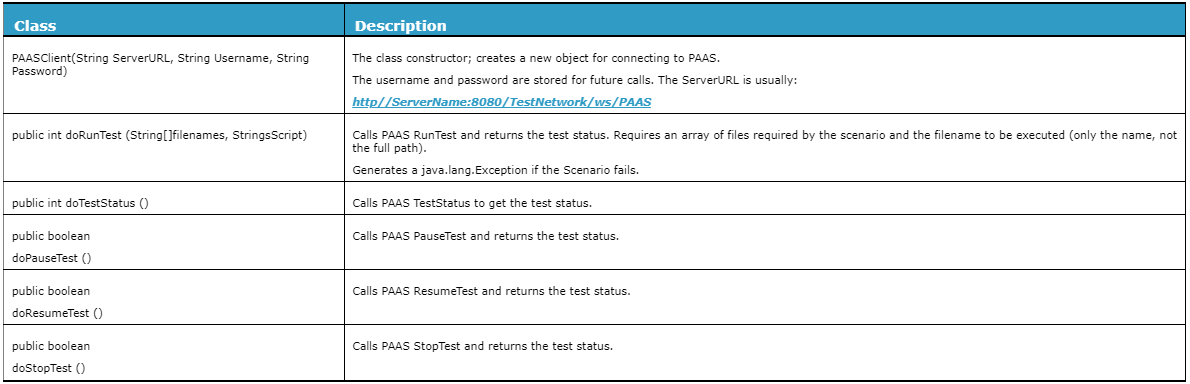
This is an interface between the application and PAAS. It is available as a standalone library for clients to connect their applications to PAAS Farms. Class Method describes the class methods:
Class Method
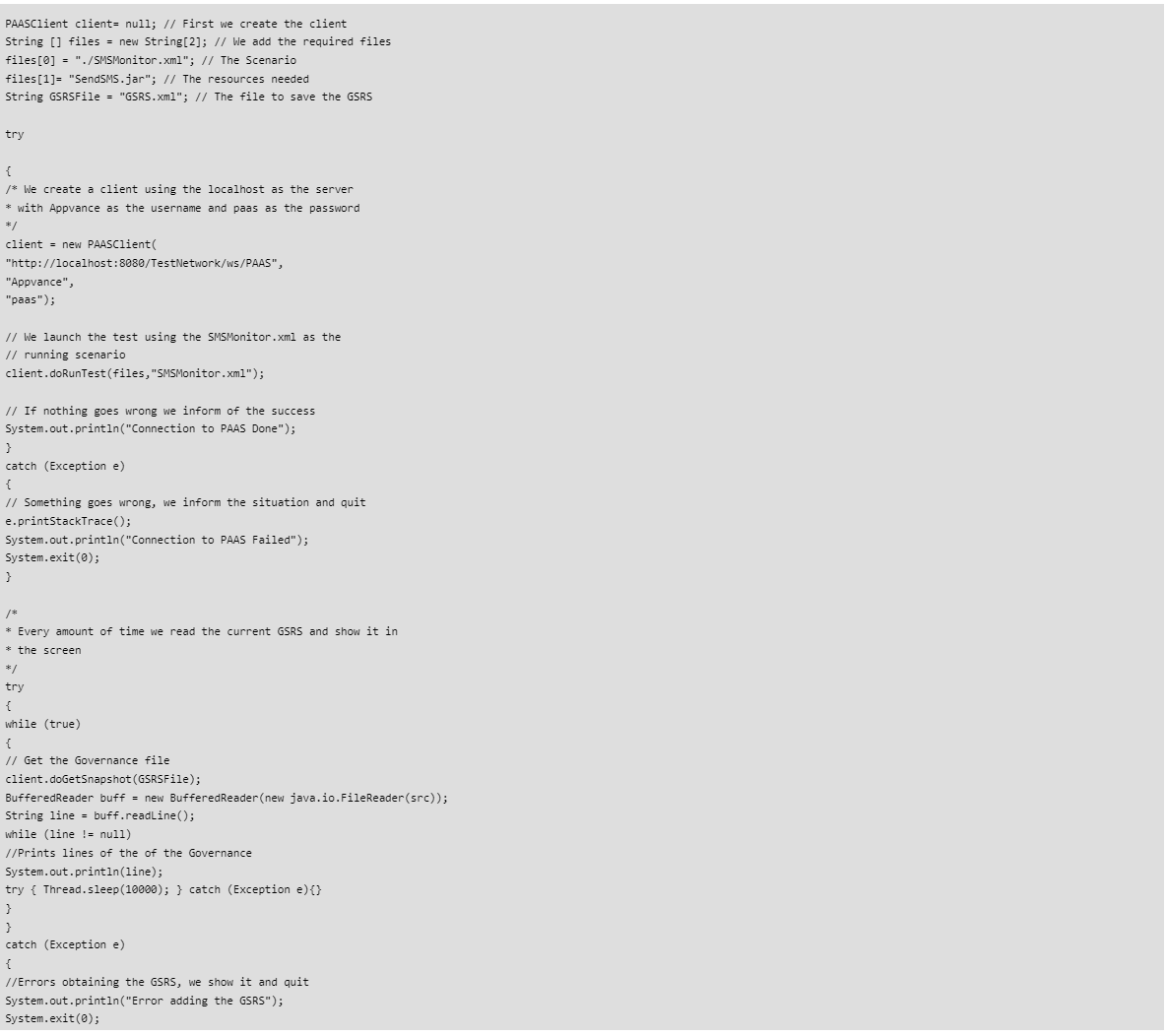
Example implementation
This code snippet shows a simple communication connection between an application and PAAS:
We found these resources helpful while implementing PAAS:
Microsoft Developer Network: Software as a service
Microsoft Developer Network: Architecture Strategies for Catching the Long Tail
Anderson, Chris: The Long Tail
PAAS Response
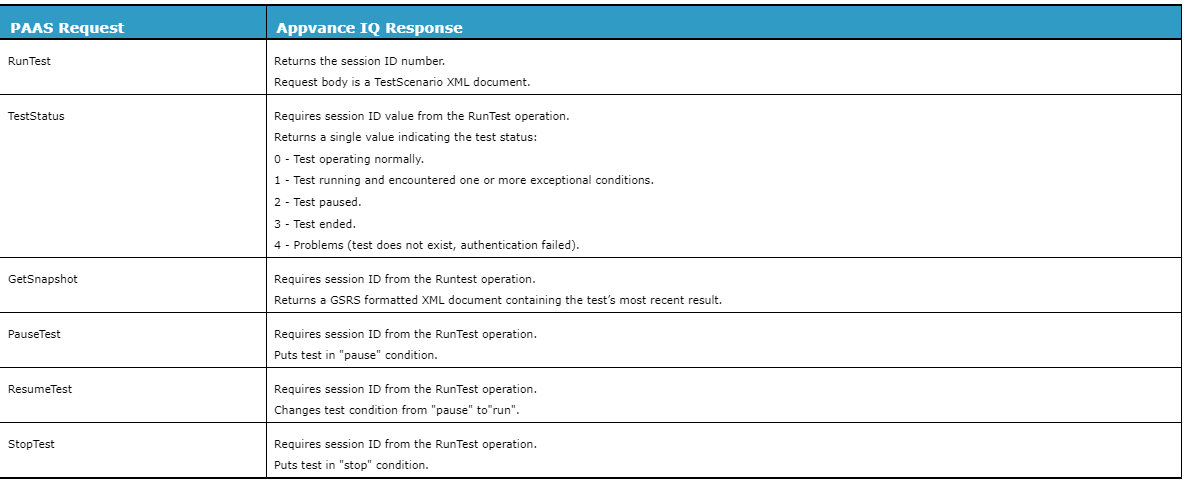
Each PAAS request to Appvance IQ generates a PAAS response:
PAAS Request / Appvance IQ Response
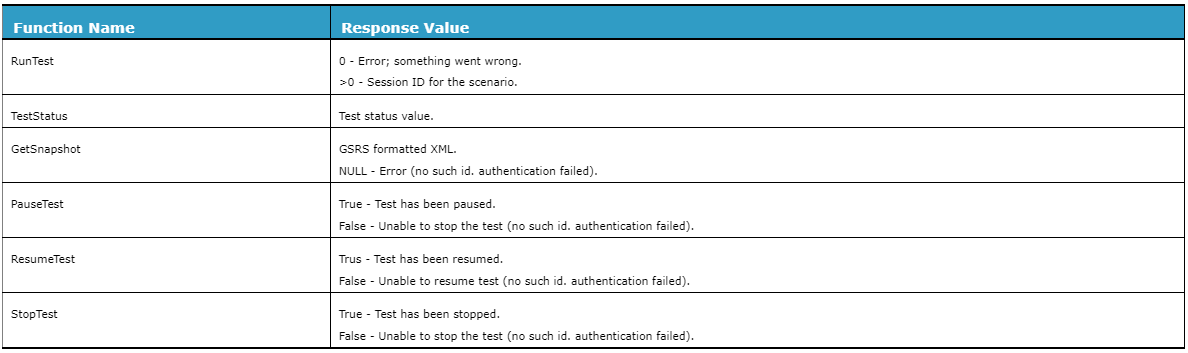
The corresponding Web service result values are:
Web Service Result Values
Governance Statistics ResultSet (GSRS)
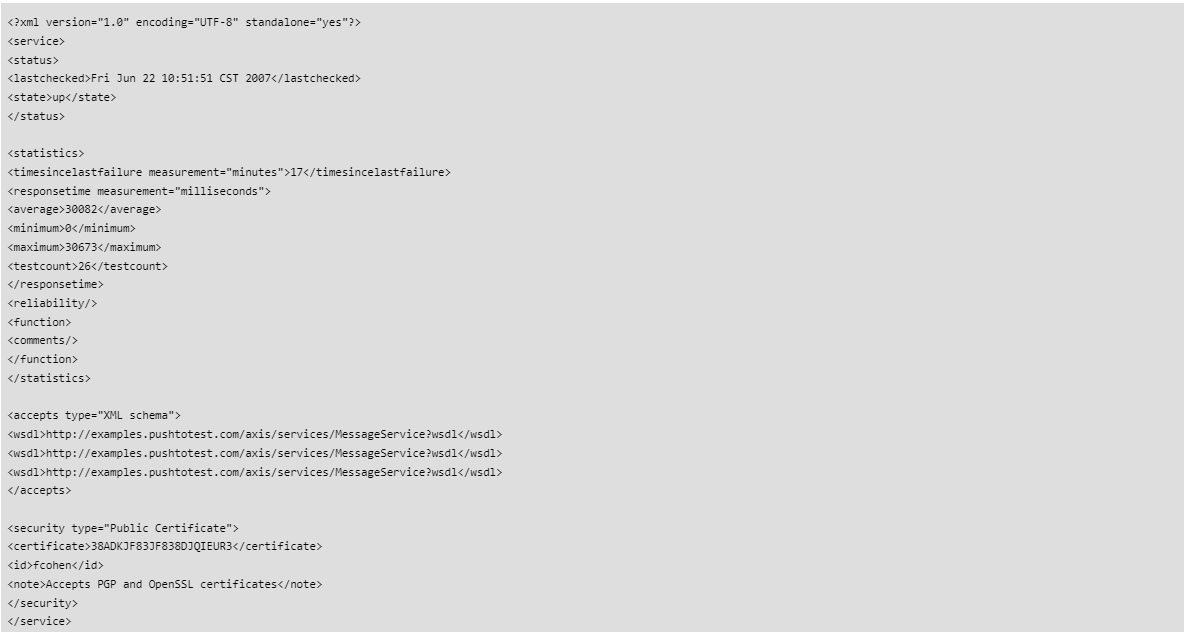
Appvance executes a test and returns a Governance Statistics Results Set (GSRS) response document.
A sample GSRS response:
If you have any feedback on this topic, please contact us at documentation@appvance.ai
Last updated: October 15, 2026